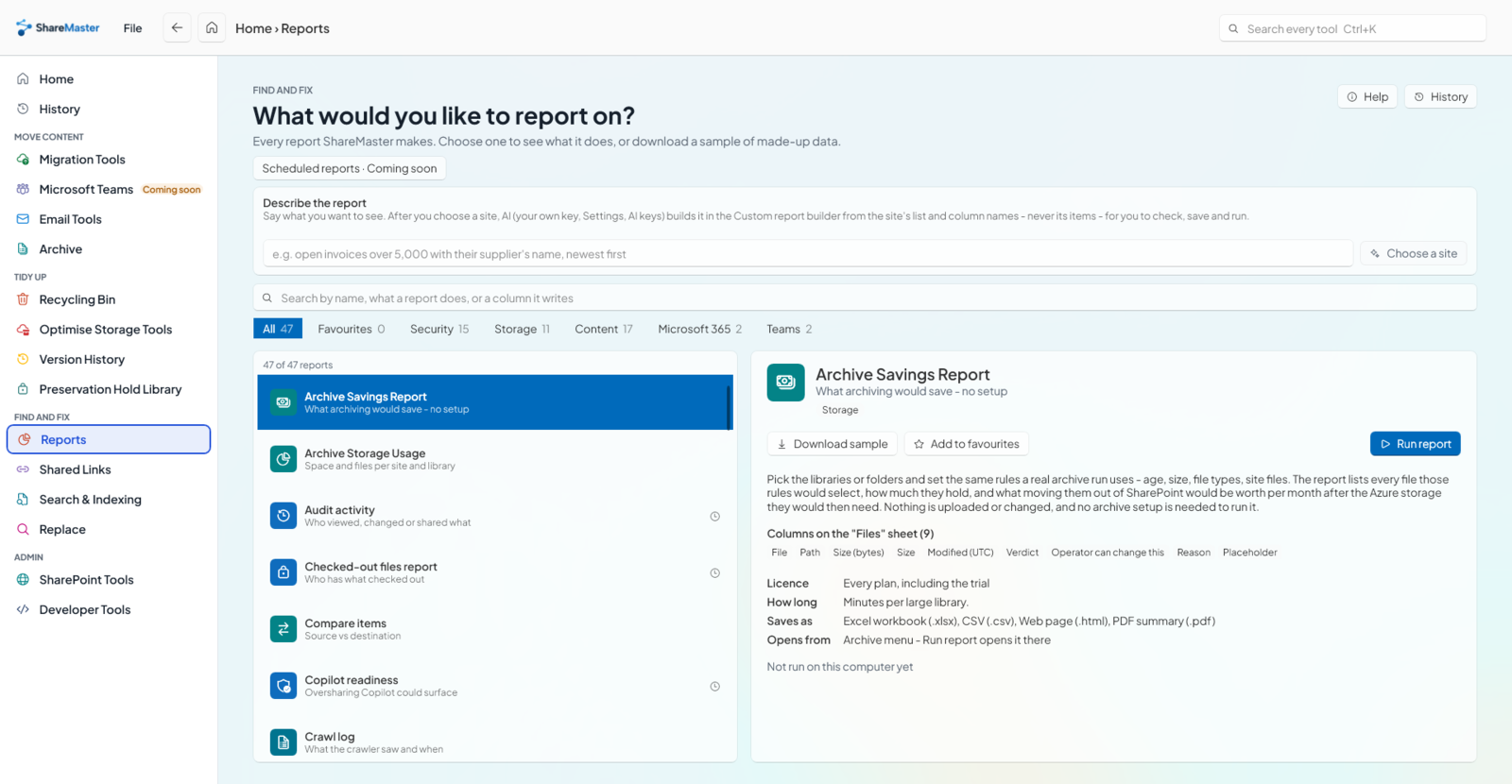
Storage
Pick the libraries or folders and set the same rules a real archive run uses - age, size, file types, site files. The report lists every file those rules would select, how much they hold, and what moving them out of SharePoint would be worth per month after the Azure storage they would then need. Nothing is uploaded or changed, and no archive setup is needed to run it.
Storage
A dashboard of an organisation's archive storage: space used, archived documents, the space each site and library takes, what was archived each month and the storage tier it sits in. Shows the last count for the organisation you choose; Refresh counts again. Nothing is opened, downloaded or changed.
Security
Every view, edit, delete, share, download, move and permission change for one site, person or file over the days you pick, from the Microsoft 365 audit log, with an optional local history that keeps events past Microsoft's 180 days. Read-only.
Content
Pick sites, libraries or folders and get an Excel list of every checked-out file: who holds it, when it last changed, and whether it has ever been checked in. A file never checked in is invisible to everyone but its holder, and a migration leaves it behind. Read-only.
Content
Compare a source site against a destination site (same tenant or two different tenants) and export the differences to Excel - shallow (counts + missing/extra items) or deep (also per-field value drift). Read-only.
Security
Copilot can find files nobody used to stumble on. If a salary spreadsheet is open to everyone and someone asks "how much is Jane paid?", Copilot can answer. This report finds that kind of oversharing: public groups and teams, grants to Everyone and Everyone except external users, Anyone and organisation-wide links, overshared sites left in search, unlabelled files and apps that can read every site, with one score and the fixes ranked by how much content each exposes. Read-only.
Security
Pick two people. The preview shows the Teams, Microsoft 365 groups, security groups, distribution lists and SharePoint groups the first is in and the second is not, with owner roles left unticked and anything that cannot be copied saying why. Nothing changes until you confirm; Undo reverses exactly what was changed.
Content
Read SharePoint's crawl log for a site, a library or one address: every entry's level, status and error code, filtered by date and level, with an Excel export. Needs a grant on the tenant's Crawl Log Permissions page, administrators included.
Content
Find what has been added to your sites beyond content: custom actions and SPFx extensions, webhooks, field and form customizers, app permissions, custom property bag keys, site designs, classic publishing and branding, and whether custom script is allowed. One Excel sheet per kind. Nothing is changed.
Content
See the names, locations and details of files in a selected SharePoint library.
Content
Sign in to Dropbox, then Microsoft 365. Choose source and destination folders side by side, compare by filename and relative path, and export the report to Excel. Read-only.
Storage
Find duplicate files and save an Excel report plus a decision CSV. Nothing is removed. This is the first stage of Remove duplicate files: review the report, choose Yes beside the copies to remove, then upload it from Optimise Storage Tools whenever you are ready.
Content
Pick sites, libraries or folders and get an Excel list of every empty folder the empty-folder clean-up would move to the recycle bin - including the ones that only become empty once the empty folders inside them have gone. Read-only.
Security
Every person in Microsoft Entra with their job title, department, manager, direct reports and total below them, plus a tree sheet that reads from the top down. Missing managers and manager loops are named. Read-only.
Security
Who has registered for MFA, who holds each admin role (active and, where readable, eligible through Privileged Identity Management), accounts with no sign-in for the days you pick, and disabled or deleted accounts still holding licences. Read-only.
Security
Pick one or more sites, libraries and folders and scan them for password-protected Office files and PDFs - each PDF says whether it needs a password to open or only restricts printing, editing or copying. Download a fill-in worksheet, type each password, then bring it back into a Find & Replace run (Import filled list) to unlock and process them.
Storage
Pick sites, libraries or folders and get one row per folder, with its library path, subfolder count, total size and file count. Sizes include version history. Empty folders are listed too. Read-only.
Security
Every Microsoft 365 group, security group, mail-enabled security group and distribution list: type, dynamic rule, owners, member count, team and site; every member with nested groups expanded and the path shown; empty and owner-less groups flagged. Read-only.
Security
Every guest account in the tenant: who invited them, whether they accepted, last sign-in, and the teams, groups and sites they can reach, with guests who never accepted or have gone quiet flagged. Read-only.
Storage
Pick sites, libraries or folders and get an Excel list of every image worth shrinking, with what each one would save and why the rest were left out. Nothing is changed - though the images are downloaded to measure them, so it is not free.
Microsoft 365
SharePoint sites, OneDrives and Microsoft 365 groups with no activity for the number of days you pick (30, 90, 180 or 365), from Microsoft's own usage reports: owner, last activity, files and size, with inactive teams pointed at Inactive teams. Read-only.
Content
Pick sites and get one worksheet per list and library, with the columns of its default view. A library whose default view shows folders also gets one column per folder level, so a file's path reads across the row. Read-only.
Security
Every mailbox's size against its quota (archives included), who has full access, send as or send on behalf on each mailbox, mail forwarded outside the organisation by mailbox forwarding or inbox rules, and mailboxes with no logon for the days you pick. Read-only.
Storage
One row per OneDrive with owner, size, files and last activity; the OneDrives of people who have left, with the date Microsoft will delete them and any secondary owner; and optionally the links shared from each. Read-only.
Content
Pick sites, libraries or folders and get an Excel list of every file and folder whose path on a PC that syncs its library would be too long, or close to it. Each length is an estimate from the profile folder, organisation name and library folder name you give. Read-only.
Security
Every permission still held by a deleted or disabled account, on every site: where, what level, and whether directly or through a SharePoint group, plus SharePoint groups whose only members have left. Read-only.
Security
Microsoft 365 groups and teams with no enabled owner, sites whose site collection admins and owners have all left, and OneDrives of people who have left. Read-only.
Content
Check SharePoint, OneDrive or a folder on this PC before migrating it: paths that would be too long where they land, names SharePoint refuses, empty, very large and checked-out files, folders over 5,000 items, lists a migration cannot carry, the retired SharePoint 2010 and 2013 workflows tied to each site and list, and (signed in as a Power Platform admin) the flows and Power Apps that point at them. Checked-out files, and files never checked in, get their own sheet. Read-only.
Content
Find migration issues and see which flows and Power Apps use your SharePoint sites and lists.
Content
Opens Move / Copy. Pick what to move and where it goes, then press Analyse: every item is checked where it would land, including the stop a Move makes in __temp on the way. Nothing moves.
Content
Pick sites and get an Excel report of their property bag keys and values: web, list root folders and the tenant's storage entities, with system keys left out unless you ask for them. Nothing is changed.
Content
Find items and files changed recently in a selected SharePoint list or library.
Storage
Pick a site and get an Excel report of what's in its first- and second-stage recycle bins - item counts and how much storage purging would reclaim. Read-only.
Content
Report-only find/replace scan - every occurrence that would be changed, no writes. Opens the Replace tool.
Security
List every application with a Sites.Selected grant on every site, or on the sites you pick, and download an Excel report. It can also list the apps that hold tenant-wide Sites permissions and can therefore reach every site. Nothing is changed.
Security
Scan the sites or libraries you choose for every sharing link - anonymous, organization or specific-people - and download an Excel report with the link URL, scope, type and expiry. Nothing is changed.
Security
List every item whose permissions no longer inherit from its library, with the principals and roles granted directly on it. A safe read-only audit.
Content
Run any keyword query against the search index, with the query template, result source, sort, refiners and every switch SharePoint takes. See exactly what was sent, save queries to run again, and export the results to Excel.
Storage
Search one site's Preservation Hold Library - the copies SharePoint keeps when a file under a retention policy or label is edited or deleted. SharePoint's own search does not look in this library. Download the files you tick, or every match, with an Excel report. Read-only.
Security
Pick site collections, sites, libraries, lists or folders and get an Excel report of every permission on them - site and library level, and optionally every item with its own permissions - with SharePoint groups, sharing links and Microsoft 365 groups expanded to their members. Read-only.
Security
Which sites, Microsoft 365 groups and teams carry a sensitivity label and which do not, by label name, and optionally how many files in each library are labelled. Read-only.
Storage
Every site collection and nested subsite in one ranked Excel report. Shows each web's own storage separately from the inclusive site-collection total, so the figures can be compared without double-counting. Read-only.
Security
One row per site collection: sharing compared with the tenant, default link type, lock state, template, hub, sensitivity label, quota and usage, site collection admins, owners, created date and last activity. Read-only.
Content
Pick sites and get an Excel report of their SPFx field, form, application customizer and command set bindings, with each component named from the app catalogs. Nothing is changed.
Storage
Which sites grew since the last run, who uploaded what and where (from the Microsoft 365 audit log, up to 180 days back), and what the most-grown sites' space is made of: current files, version history, the Preservation Hold Library and recycle bins. Read-only.
Storage
Pick a site and see its libraries, then their folders and files, as boxes sized by the space each uses and coloured by how long since it last changed. Open a box to go down a level, and export everything read to Excel. Read-only.
Teams
Choose teams and get the security matrix for their SharePoint sites, including the separate site behind every private and shared channel: who can open what, through which group, and every sharing link. Read-only.
Teams
Every team, or the ones you choose: owners, members and guests, standard, private and shared channels and who is in each, SharePoint sites, apps, tabs and activity, with the teams that have no owner, guests or no activity flagged. One Excel workbook. Read-only.
Microsoft 365
Finds licensed users with no activity in the window you set - one month by default - and seats you are paying for that nobody holds at all. Enter what a seat costs and it totals the money, keeping what you can cut today apart from what can only change at renewal. Read-only: it never removes a licence.
Security
Every site where a permission reaches one person - directly, through a group they are in (nested groups included), through a SharePoint group, as a Microsoft 365 group owner or through Everyone - with how it reaches them. For a leaver, or a guest review. Read-only.
Storage
A safe dry run: scan a library's version history and download an Excel report of exactly what would be trimmed and how much storage it would reclaim. Nothing is removed.
Content
Pick sites and get an Excel report of every list webhook subscription: who it calls and when it expires, with the ones expiring soon flagged. Webhooks do not migrate. Nothing is changed.