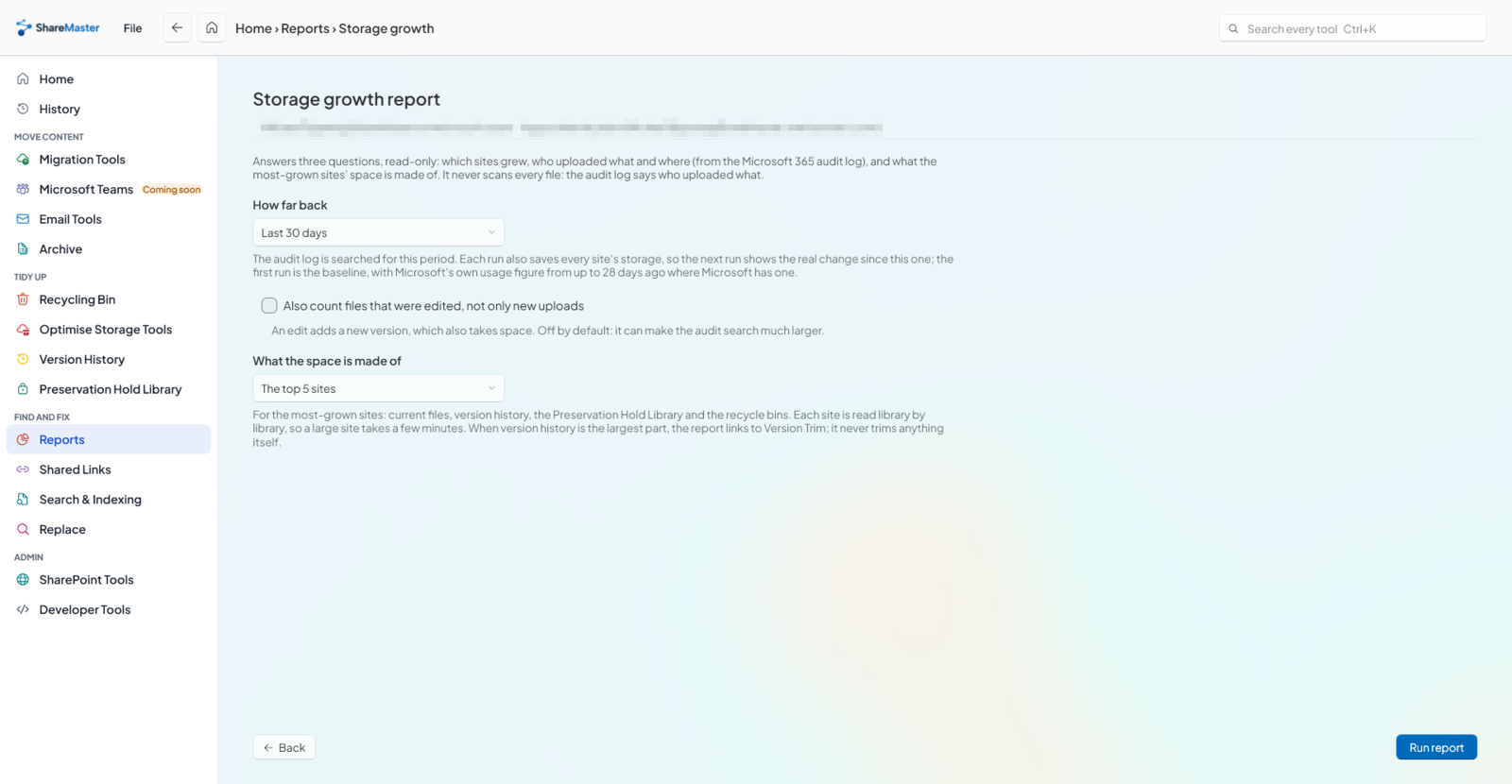
Which sites grew since the last run, who uploaded what and where (from the Microsoft 365 audit log, up to 180 days back), and what the most-grown sites' space is made of: current files, version history, the Preservation Hold Library and recycle bins. Read-only.
Choose the period, whether to include edits, and how many growing sites to break down.
Sample report response
This preview shows report output using fictional documents and values.
In ShareMaster, this report downloads as an Excel workbook.
Storage growth: which sites grew, who uploaded what, what the space is made of
2
Organisation
contoso.sharepoint.com
3
Read as
App authentication (a@contoso.com)
4
Period
Last 30 days
5
Started
11/28/2026 11:23
6
Finished
11/28/2026 11:23
7
Ended
Every part ran
8
Sites read from
SharePoint admin centre (every site collection)
9
Sites measured
2
10
Sites not measured
0
11
Earlier figures
This report's last run, 21 Nov 2026 11:23, where it measured the site; else Microsoft's usage report
12
Microsoft usage report
Microsoft's usage report could not be read: this endpoint answers CSV only, so the JSON attempt is skipped (the CSV fallback also failed: 404 NotFound)
13
Growth across grown sites (GB)
0.01
14
Audit log
Searched: 4 events for FileUploaded, FileSyncUploadedFull; 3 distinct files
15
Uploaded, known size (GB)
0.02
16
File sizes looked up
3
17
File sizes not looked up
0
18
Files deleted since upload
1
19
Tenant storage by day
Microsoft's daily storage report could not be read: 404 NotFound from reports: not in this fake (the CSV fallback also failed: 404 NotFound)
20
Breakdown
0 sites (the most grown; on a baseline the most uploaded-to, else the largest)
21
Version history
Each library's total minus its current files (SharePoint's own storage metrics). Version Trim is offered only as a link: this report changes nothing.