
All reports
Content
Search query
Run any keyword query against the search index, with the query template, result source, sort, refiners and every switch SharePoint takes. See exactly what was sent, save queries to run again, and export the results to Excel.
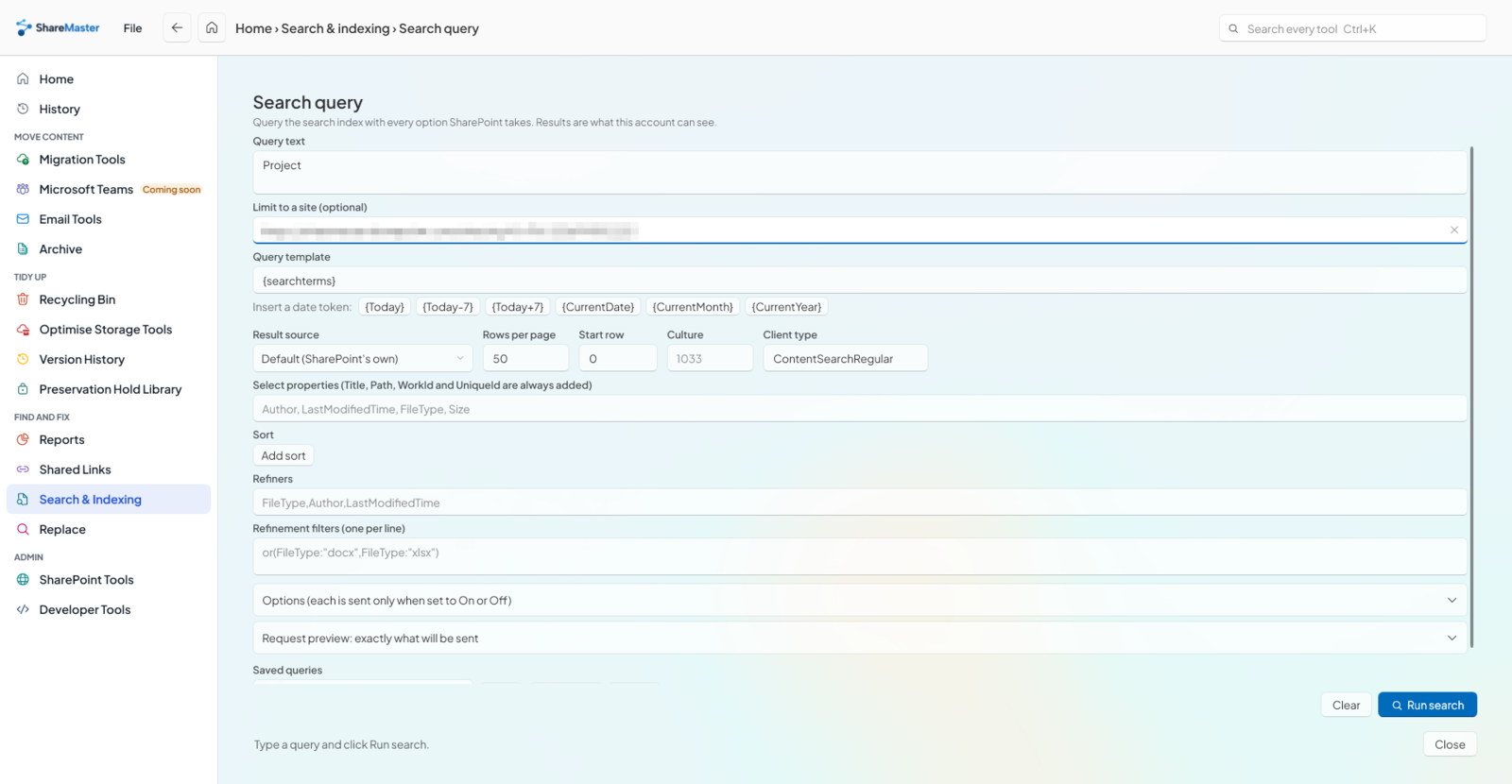
Sample report response
This preview shows report output using fictional documents and values.
In ShareMaster, this report downloads as an Excel workbook.
| Report | Search query | Notes | |
| Tenant | https://contoso.sharepoint.com/ | Search results are trimmed to the signed-in account: an item missing here is not proof it is missing from the index. | |
| Run | 28 Nov 2026 11:23:19 | ||
| Total results (SharePoint's estimate) | 2 | ||
| Rows in this workbook | 2 | ||
| Request | |||
| QueryText | filetype:xlsx OR filetype:docx | ||
| QueryTemplate | {searchterms} Path:"https://contoso.sharepoint.com/sites/finance" | ||
| SourceId | (default result source) | ||
| RowLimit | 500 | ||
| StartRow | 0 | ||
| SelectProperties | Title,Path,WorkId,UniqueId,SPSiteURL,Author,LastModifiedTime,Size,FileType,contentclass | ||
| ClientType | ContentSearchRegular |
| Title | Path | WorkId | UniqueId | SPSiteURL | Author | LastModifiedTime | Size | FileType | contentclass |
| Budget | https://contoso.sharepoint.com/sites/finance/Shared Documents/Budget.xlsx | 1 | u1 | https://contoso.sharepoint.com/sites/finance | Ann | 2026-11-01T10:00:00Z | 12345 | xlsx | STS_ListItem_DocumentLibrary |
| Plan | https://contoso.sharepoint.com/sites/finance/Shared Documents/Plan.docx | 2 | u2 | https://contoso.sharepoint.com/sites/finance | Bo | 2026-10-01T10:00:00Z | 999 | docx | STS_ListItem_DocumentLibrary |
| Refiner | Value | Count | Token |
| FileType | xlsx | 1 | xlsx |
| FileType | docx | 1 | docx |
Runs in ShareMaster
Try ShareMaster