ShareMaster V2 is in beta, a complete rebuild. See what is new and request access →
Features All features overview
Migration Tools Overview Structure and content OneDrive ↔ SharePoint Content only Structure only Move / Copy Upload from this computer Download to this computer Dropbox to SharePoint Resume and incremental runs
Recycling Bin Overview Browse a site's recycle bin Empty recycle bins in bulk Restore and purge history
Archive Overview Configure the tenant On Demand Archive Restore Archived Files Archive Savings Report Blob Viewer
Optimise Storage Tools Overview Delete all items in a list Delete all files and folders in a library Remove empty folders Remove duplicate files Reduce image sizes Delete sites and subsites
SharePoint Tools Overview Tenant Explorer SharePoint Explorer Easy Settings Fix renamed groups List Explorer Search the Preservation Hold Library
Replace Overview Replace in SharePoint Replace in local files Find password-protected files
Shared Links Overview Report shared links Report unique permissions Remove a person from sharing links Remove shared links Remove unique permissions
Version History Overview Version trimming Version trimming report Reset file version
Reports Overview Inventory report Folder inventory Site and subsite storage Security matrix Teams permissions Pre-migration analysis Compare items Dropbox to Microsoft 365 compare Duplicate file report Empty folder report Image size report Recycle bin report Unused licences Report history
V2 beta Pricing Demos Blog Guides Use cases Compare Tools Alerts FAQ Contact Sign in Start free trial
NEWShareMaster V2 beta: a complete rebuild →

SharePoint migration & management, finally simple.

Copy SharePoint lists, libraries and files across sites or tenants. Search and restore from the SharePoint Recycling Bin. Trim old file versions to save storage. One Windows app, zero PowerShell.

No credit card · Runs locally on Windows · 14-day trial

Built for Microsoft 365 SharePoint Online OneDrive Exchange Online PST files
Migrate, restore, reclaim

Pick the job. We have the tool.

Clone Master

Migrate SharePoint, with fidelity.

Copy entire sites, document libraries and lists across SharePoint Online tenants. Replicate views, lookups, JSON formatting, metadata and permissions without losing structure.

  • Copy lists, libraries, files, fields and views
  • Move between SharePoint Online tenants
  • Preserve metadata, lookups and permissions
  • Preview and run jobs without leaving the app
Read about Clone Master
Clone Master copying SharePoint content between sites
Recycle Master

Find anything you deleted.

SharePoint's default bin is an endless scroll. Recycle Master adds proper search with filters by title, location, list ID, author, deleted-by, type and date, plus bulk restore at scale.

  • One-click restore or bulk restore
  • Tenant-wide bulk Recycling Bin clear
  • Filter by date ranges and item type
Read about Recycle Master
Recycle Master searching the SharePoint Recycling Bin with filters
Space Master

Reclaim gigabytes of storage.

Every save in SharePoint creates a new version. Space Master trims older versions on a retention policy you control. Keep the latest, reclaim the rest.

Read about the Version Trimmer
Trim by version count, age or both
Exclude recently modified files
Preview impact before running
Run in safe batches at scale
What it covers

Every SharePoint job, from one app

SharePoint and mailbox migration, recovery, and storage clean-up, all from one app.

SharePoint migration

Copy full sites, lists and libraries, fields, views and permissions. Move or clone files between sites and tenants reliably.

Explore Clone Master →

Office 365 email migration

Move mailboxes and online archives between tenants, export them to PST, or import PST, IMAP and POP3 mail into Office 365.

New in ShareMaster V2 →

Search the Recycling Bin

True search across the SharePoint Recycling Bin: title, location, list ID, author, type, date. One-click or bulk restore.

Recycle Master →

Save SharePoint storage

Space Master trims old versions, shrinks images, removes empty folders, and bulk-deletes content, without losing the latest copy.

Trim file versions →
How it works

Three steps to copy SharePoint lists & libraries

You're connected to SharePoint and copying in under a minute.

1

Connect

Connect to SharePoint directly from the app, securely, on your device. No cloud service in the middle.

2

Select

Pick the document library or list to copy, including views, metadata and lookups.

3

Run

Run the job to copy the SharePoint list or library to your target site or tenant.

New in ShareMaster V2

A complete rebuild. See what it does.

Everything V1 did, plus Office 365 email migration and PST export, uploads and downloads between your PC and SharePoint, new storage and inventory reporting, and clean-up tools that show you what they would remove before they remove it. Your existing licence carries across.
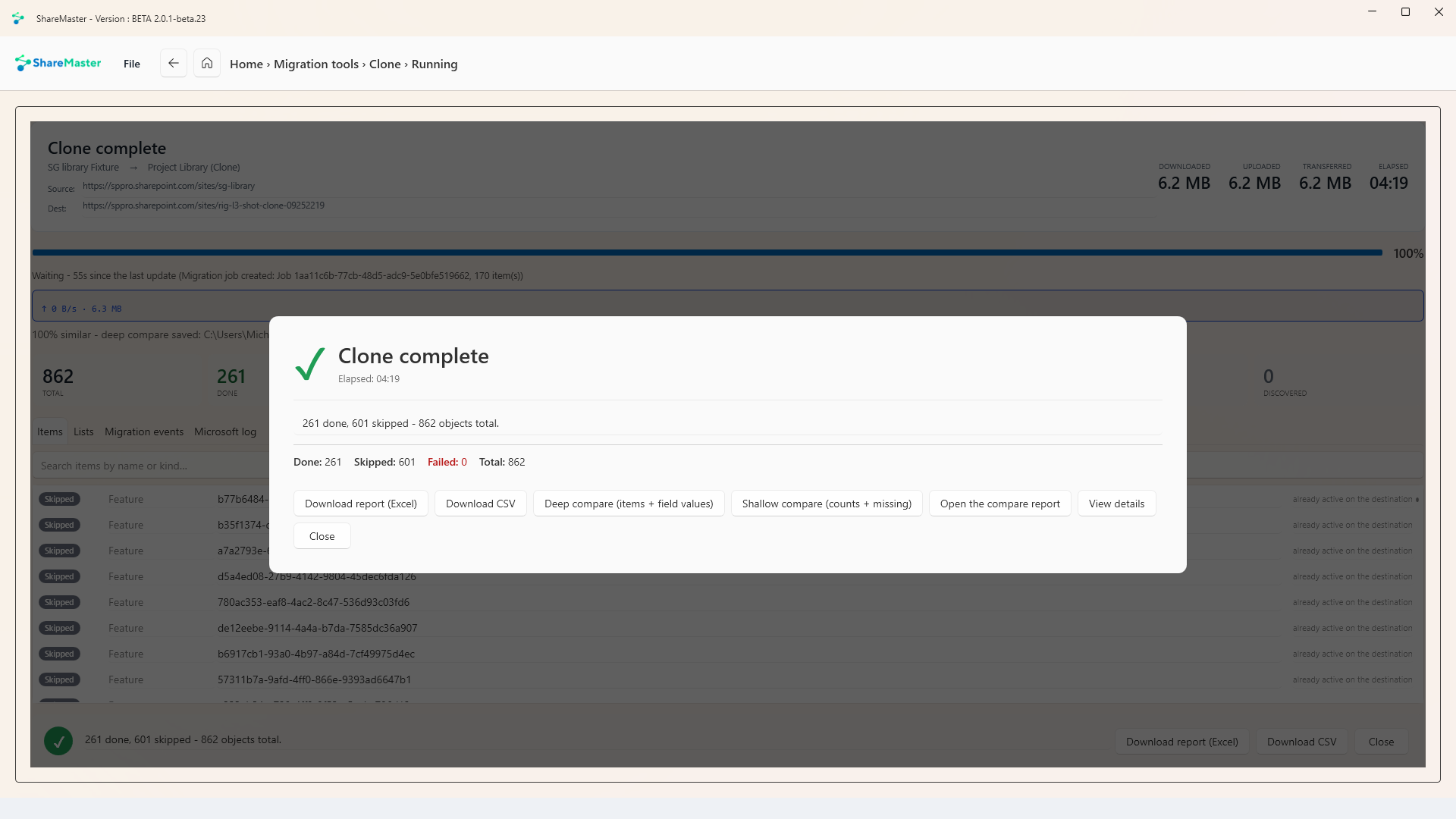
ShareMaster V2 clone complete dialog offering deep and shallow compare

Clone, then prove it

After a clone, run a deep compare of items and field values, or a shallow compare of counts and missing items, and download the report.
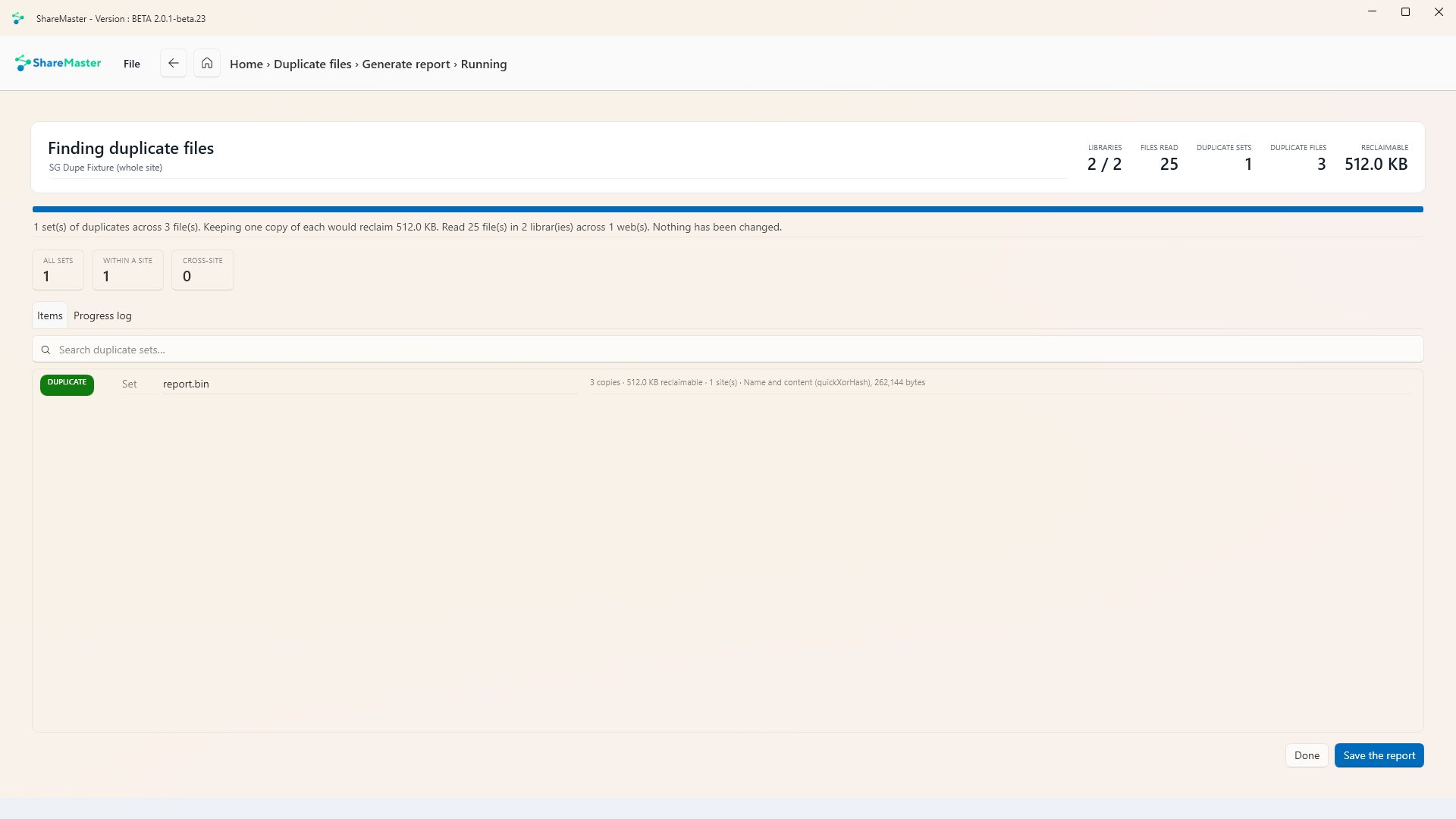
ShareMaster V2 duplicate files report showing reclaimable space

Find duplicate files

Finds duplicate sets by name and content and shows how much space keeping one copy would reclaim. Nothing changes until you say so.
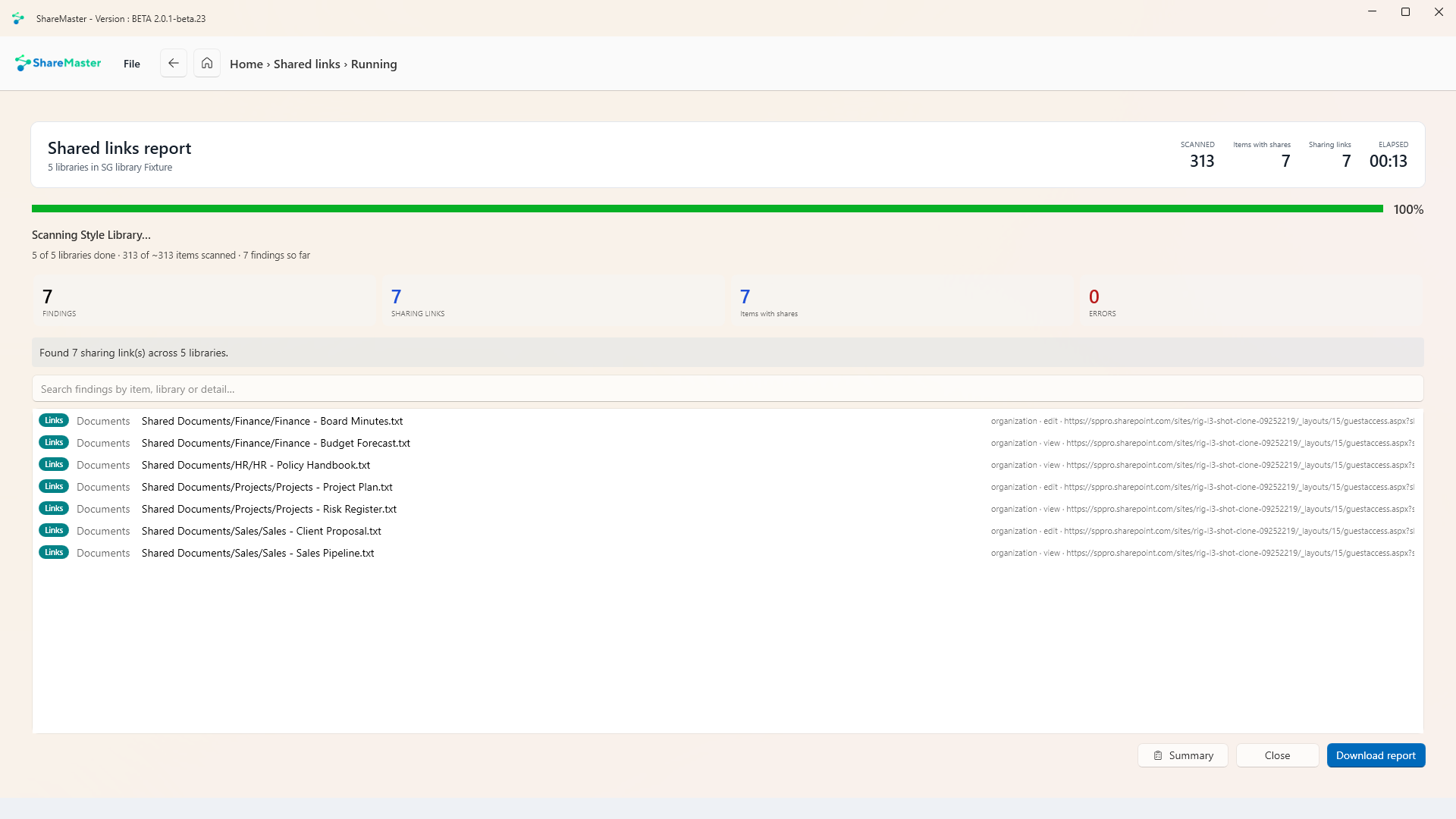
ShareMaster V2 shared links report listing links open to edit or view

Audit shared links

Scan libraries for sharing links and see which are open to edit or view, then download the report.

14

Days to try every feature. No credit card required.

0

Lines of PowerShell. Refresh your SharePoint environment with clicks, not scripts.

Local

Runs on your Windows machine, so your data and credentials never touch our servers.

FAQ

Answers to common questions

Can't find what you're after?

Ask us directly
What can ShareMaster do?
ShareMaster helps you copy whole SharePoint Online sites; copy SharePoint lists and document libraries (including views, metadata and lookups); copy files across sites and tenants; search and restore from the SharePoint Recycling Bin; clear Recycling Bins in bulk; automatically trim old file versions to save SharePoint storage; reset file versions back to 1; update list and library settings in bulk; run reports on content, versions and storage; and more for SharePoint migration and management.
How do I copy SharePoint lists or libraries?
It takes three steps: Connect to SharePoint from the app, select the document library or list (including views, fields and lookups), and run the job to copy to the target site or tenant.
Can ShareMaster save SharePoint storage?
Yes. The Version Trimmer removes older file versions using retention and date rules so you can reduce SharePoint storage while keeping the latest copy.
How is ShareMaster's Recycling Bin better than default SharePoint?
ShareMaster adds true search to the SharePoint Recycling Bin. Filter by title, original location, list ID, author, deleted by, type and date, then restore a single item or perform a bulk restore.
Can I clear Recycling Bins across my whole tenant?
Yes. You can bulk clear multiple SharePoint Recycling Bins tenant-wide in a single operation to reclaim space quickly.
Can I reset file versions back to 1?
Yes. ShareMaster lets you reset file version numbers back to 1 and clean up version history safely.
Does it preserve permissions, views and lookups when copying?
ShareMaster is designed for fidelity. It copies structures, views and lookup columns, and can replicate metadata and permissions as part of migrations.
Do SharePoint file versions count toward storage?
Yes. Every saved version consumes space in your SharePoint storage allocation; trimming older versions can recover significant capacity.
Can I keep recent versions but remove older ones?
Yes. Set a retention count (for example, keep the latest 10 versions) and automatically delete older versions.
Can I exclude recently modified files when trimming versions?
Yes. Apply date rules so files modified after a chosen date are ignored, or only remove versions older than a specific time window.
Is bulk version trimming safe?
You can preview the impact, use retention and date safeguards, and run in batches to safely trim versions at scale.
Can I copy SharePoint content between different tenants?
Yes. ShareMaster can copy SharePoint lists, document libraries and files between SharePoint Online tenants.
Can I copy list views and JSON view formatting?
Yes. You can replicate list and document library views and carry over associated configuration such as JSON view formatting.

Start your free 14-day trial

Migrate, recover and clean up your SharePoint environment today. No credit card required.