SharePoint DLP Policy Defaults Reference
Reduce hours of digging. This reference covers SharePoint DLP policy modes, default thresholds, and site-level quarantine and block behaviors in one place.
Read
No page matches that.
Reduce hours of digging. This reference covers SharePoint DLP policy modes, default thresholds, and site-level quarantine and block behaviors in one place.
ReadSet the right storage cap for every SharePoint site. Full reference for per-site limits, automatic vs manual management, and quota alert thresholds.
ReadStop guessing file size limits. Every SharePoint Online upload limit in one reference: browser upload, OneDrive sync, REST API, and co-authoring.
ReadWhat does SharePoint create by default when you provision a site? Libraries, groups, versioning limits, and sharing defaults, in one quick-reference table.
ReadReduce guesswork on column type behavior. Every SharePoint list column type listed with indexable status, multi-value support, and filter compatibility.
ReadFull file copy per version, not a delta. How SharePoint calculates version storage, what counts, and which admin settings reduce your quota consumption.
ReadPer-plan storage entitlements, what counts against your quota, and add-on storage pricing.
Set the right storage cap for every SharePoint site. Full reference for per-site limits, automatic vs manual management, and quota alert thresholds.
ReadNot sure what's consuming your SharePoint storage? Every quota source listed: active files, version history, the recycle bin, and Purview retention holds.
Read
At $0.20 per GB per month, Microsoft 365 Extra File Storage adds up. Full pricing table plus guidance on when cleanup beats buying more quota.
Read
SharePoint and OneDrive storage allocations for every major Microsoft 365 plan, in one place. Quick reference for tenant storage and cleanup planning.
ReadCross-tenant prerequisites, migration throttling limits, move/copy defaults and site rename behaviour.

Stop missing cross-tenant migration prerequisites. This reference covers tenant settings, admin roles, and licence requirements before you start migrating.
Read
What breaks and what survives when you rename a SharePoint Online site or change its URL: redirects, search, permissions, and PowerShell commands.
Read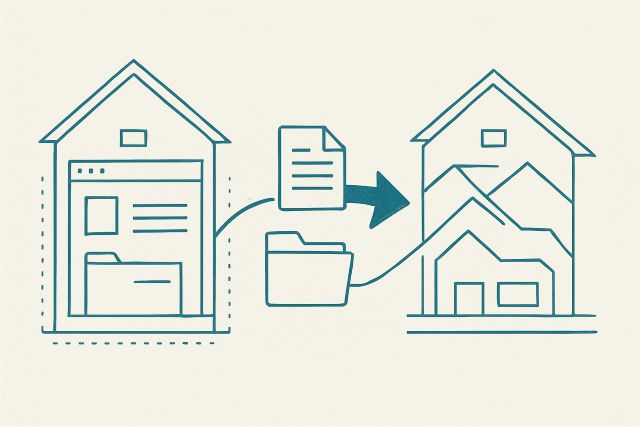
Stop losing version history on copy. Complete reference for what SharePoint Move To and Copy To preserve, their limits, and when each fails.
ReadSharePoint throttles bulk API calls at defined thresholds. Reference for per-user limits, Retry-After headers and reducing 429s in large migration jobs.
ReadPermission levels, external sharing settings, sharing link types, guest access and sensitivity labels.

Complete SharePoint guest access review defaults, expiration windows, and Entra ID governance settings in one admin reference table.
Read
Quick reference for SharePoint sensitivity label scopes, encryption settings and external sharing controls for Microsoft 365 admins.
Read
Four sharing link types. Different permission levels, expiration rules, and admin controls. The complete SharePoint Online sharing reference for admins.
Read
50,000 role assignments is SharePoint's hard cap per list or library. What that means for permission design, and when to use security groups instead.
ReadVersioning defaults, version metadata, recycle bin retention and audit log retention windows.
Full file copy per version, not a delta. How SharePoint calculates version storage, what counts, and which admin settings reduce your quota consumption.
ReadWhat SharePoint Online stores per version: a reference table of every version-level metadata field, what it holds, and where each one is exposed.
Read
Know exactly what happens to SharePoint files at each deletion stage, and how Microsoft Purview retention policies override normal deletion behavior.
Read
SharePoint audit records are kept 180 days on most plans and one year for E5 users. Retention by licence, captured events, and export methods.
ReadThe hard numbers: list view threshold, column and content type caps, sync limits, batch sizes and search limits.
Stop guessing file size limits. Every SharePoint Online upload limit in one reference: browser upload, OneDrive sync, REST API, and co-authoring.
ReadKnow the ceilings before they cause sync errors: item counts, decoded path length, file-size caps, and invalid characters for OneDrive sync in SharePoint.
ReadAvoid failed jobs and throttling by knowing how many SharePoint items you can update or delete in a single bulk operation before you start.
Read
Reference table of Power Automate limits that affect SharePoint flows: daily run allowances, trigger frequency, throttling, and connector request caps.
ReadAdmin roles, library settings, naming restrictions, site templates and out-of-the-box defaults.
Reduce hours of digging. This reference covers SharePoint DLP policy modes, default thresholds, and site-level quarantine and block behaviors in one place.
ReadWhat does SharePoint create by default when you provision a site? Libraries, groups, versioning limits, and sharing defaults, in one quick-reference table.
ReadReduce guesswork on column type behavior. Every SharePoint list column type listed with indexable status, multi-value support, and filter compatibility.
Read
Reference table for .md file support in SharePoint Online: viewing, editing, co-authoring, comments, size limits, and what still requires download.
Read