Explore Master
Free on Community license
Diagnose and update SharePoint without scripts. Inspect hidden objects, view properties, reset versions and make targeted changes - no PowerShell required.

ShareMaster bundles every module - pick the licence that activates the ones you need.
Free on Community license
Diagnose and update SharePoint without scripts. Inspect hidden objects, view properties, reset versions and make targeted changes - no PowerShell required.
Recycle Master & Clone Master licenses
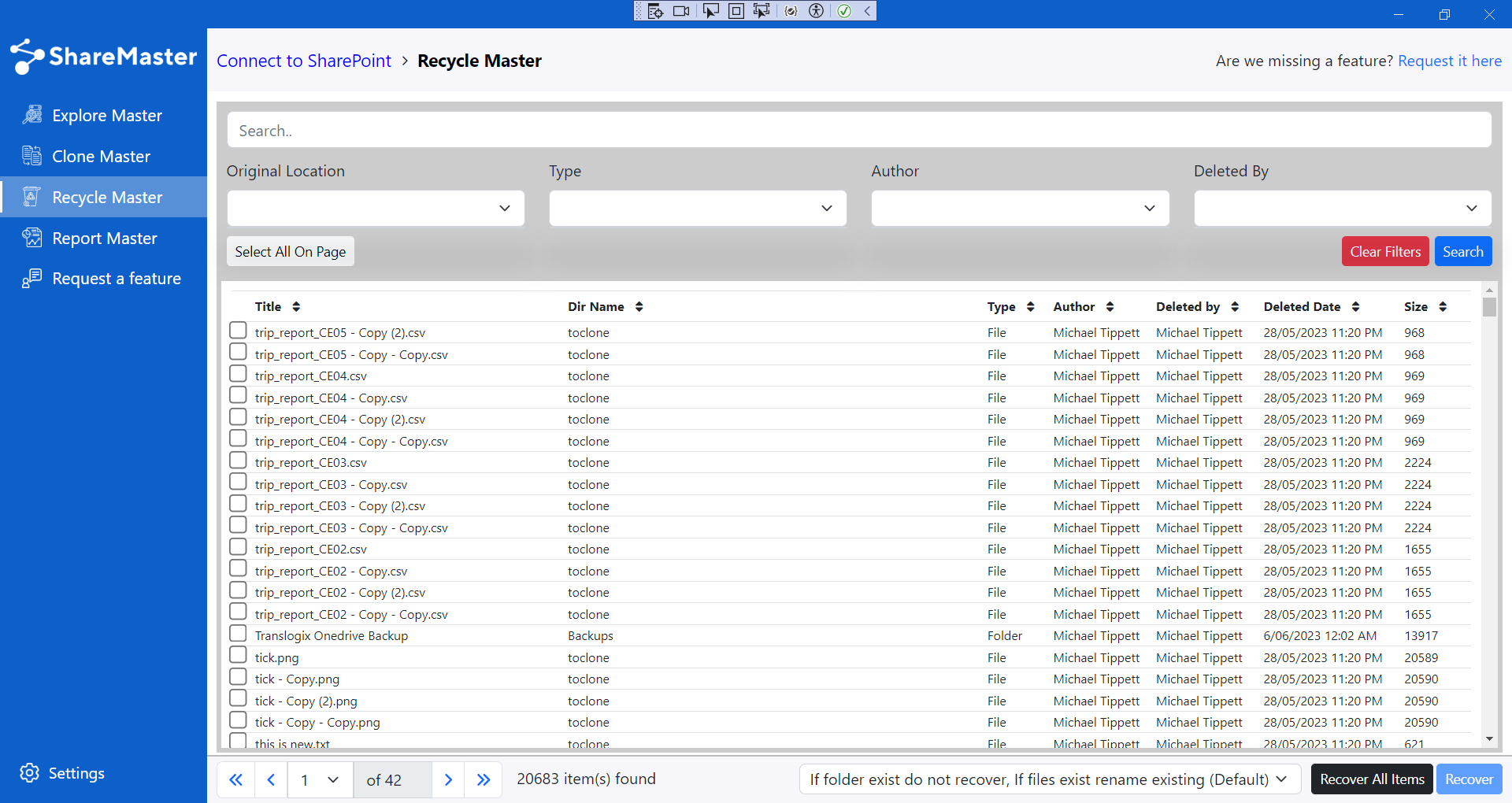
Supercharge the SharePoint Recycling Bin. Load a site's deleted items into the app, then filter by title, original location, list ID, author, deleted by, type and date. Restore individually or run a bulk restore.
Clone Master license
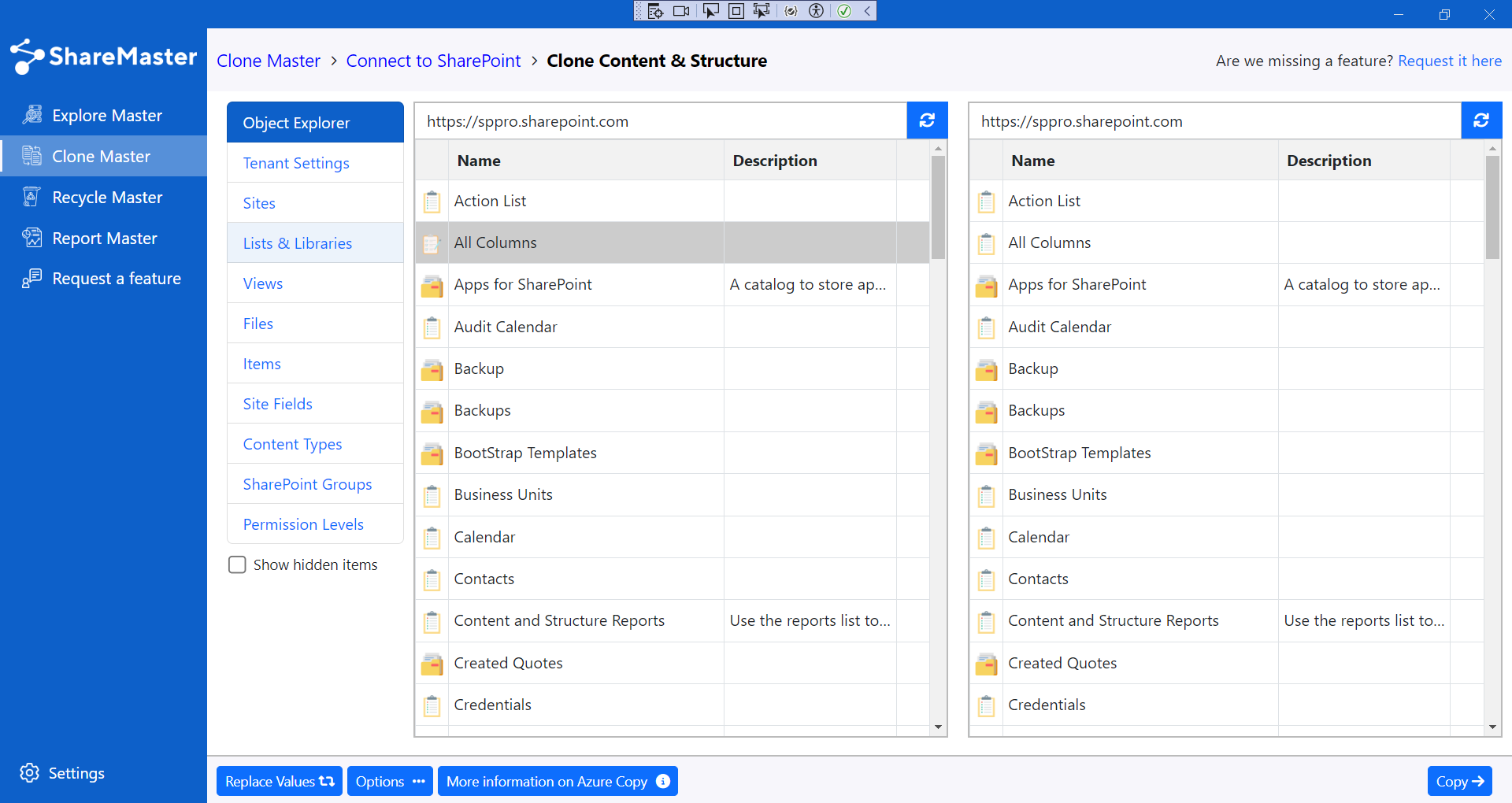
SharePoint Migration made easy: copy whole sites, copy SharePoint lists and copy libraries including views, fields and lookups, plus copy files across sites or tenants. In V2, bring Dropbox into SharePoint and copy SharePoint to Azure Blob Storage.
Free on Community license
Export Excel reports for lists, libraries and sites. Understand permissions, versions and storage usage so you can plan migrations and capacity.
Recycle Master & Clone Master licenses
Save SharePoint storage: scan heavy libraries, trim old SharePoint versions, shrink images, clean empty folders, and bulk-delete files, items or sites to cut costs quickly.
Recycle Master & Clone Master licenses
Update links and text across documents, lists, columns and settings - ideal for tenant moves or site redesigns. Fast, targeted, and script-free.
Clone Master license
A reliable alternative to SharePoint's built-in Copy To and Move To. Avoid browser timeouts and crashes by copying or moving SharePoint files and folders in small, resumable batches within the same tenant.
Report free; removal on paid licenses
Find, report and remove SharePoint shared links and unique permissions in the document libraries you pick on a site. See who files are shared with, export an Excel audit, or remove sharing in bulk to restore inherited permissions.
Archive Master & Clone Master licenses
Move cold SharePoint files into Azure Blob Storage you own, leaving a working link in their place. The item keeps its ID, version history, metadata and permissions - click the link to download the original, or restore it back into the library.
Clone Master license, in ShareMaster V2
Move Office 365 mailboxes between tenants with their online archives, export them to PST files, or bring PST, IMAP and POP3 mail into Office 365, with a per-message report at the end.
View hidden objects and properties, inspect document set version history, reset versions, update advanced settings and bulk-change content types - all from the UI.

Replace the default infinite scroll with a real SharePoint search. Load a site's first- or second-stage recycle bin into the app, then filter precisely and restore one or many.
Migrate with confidence. Duplicate objects across SharePoint Online sites or tenants, with automatic link replacement during transfers for a seamless SharePoint migration.
Excel reports across lists, libraries and sites. Surface permission matrices, version storage and heavy libraries so you can prioritise storage savings and migration work.

A suite of storage-optimisation tools for quick wins on SharePoint storage. Scan bloated libraries, trim old versions, reduce image sizes in bulk, remove empty folders, and bulk-delete files, items or whole sites.

Traverse document libraries, lists and settings to replace URLs and text in bulk. Perfect for domain changes, tenant moves and content clean-ups - without writing scripts.
Watch Replace Master
SharePoint storage is the most expensive place to keep a file nobody opens. Archive Master copies cold files out to Azure Blob Storage in your own subscription and leaves a working link behind, so the library still looks and behaves like the library.


This banner means the tenant is using more SharePoint storage than its pooled allowance, which is 1 TB plus 10 GB for each licence. After the date it names, SharePoint content becomes read-only. Microsoft gives two ways out: purchase a license (more storage), or manage storage until usage is back under the quota.
Archive Master is the manage storage route that keeps every file. Cold files move to Azure Blob Storage in your own subscription, which costs far less per GB, and each one leaves a working link in the library that downloads or restores the original.
Office 365 mail, moved the same way ShareMaster moves SharePoint: you sign in, match source to destination, and get a report that accounts for every message.
Step by step: the email migration guide.

14-day free trial. No credit card. Your data never leaves your machine.