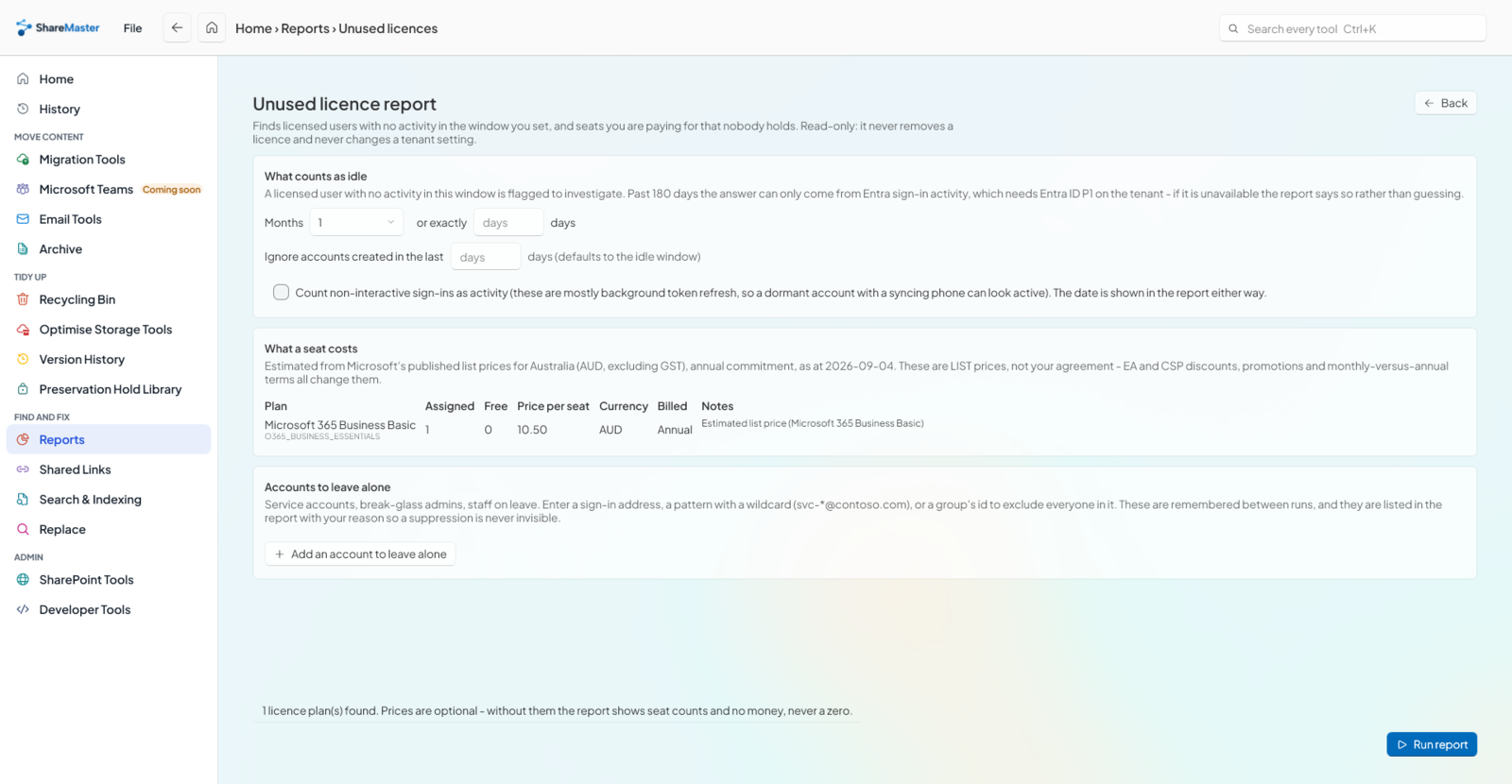
Finds licensed users with no activity in the window you set - one month by default - and seats you are paying for that nobody holds at all. Enter what a seat costs and it totals the money, keeping what you can cut today apart from what can only change at renewal. Read-only: it never removes a licence.
Set the idle window, decide what counts as activity, and leave specified accounts out of the report.
Sample report response
This preview shows report output using fictional documents and values.
In ShareMaster, this report downloads as an Excel workbook.
Summary
A
B
C
D
E
F
G
1
Unused and idle licence report
2
3
Tenant
contoso
4
Activity data as of
2026-08-17
5
Idle threshold
90 day(s)
6
Non-interactive sign-ins counted
No (they are mostly background token refresh)
7
8
This report is read-only. Nothing has been changed on the tenant, and no licence has been removed.
9
Removing a licence starts a countdown: the mailbox and OneDrive become inaccessible and are deleted after about 30 days. Convert the mailbox to shared, or reassign the OneDrive, BEFORE removing the seat.
10
11
Savings
Currency
Monthly
Annual
12
13
14
Verdict
Users
15
In use
1
16
Disabled & licensed
1
17
Idle - investigate
2
18
19
Licence
SKU
Paid seats
Assigned
Free
Suspended
Renewal
20
Microsoft 365 E3
ENTERPRISEPACK
10
7
3
0
Prices
A
B
C
D
E
F
G
H
1
Unit prices
2
3
Microsoft's APIs expose seat counts but never price, so these are yours to fill in. Change a price here and every total in the workbook recalculates. A SKU left blank is reported as seats only, never as a zero saving.
4
5
Licence
SKU
Unit price (monthly)
Currency
Billing term
Yearly unit price
Whose price
Notes
6
Microsoft 365 E3
ENTERPRISEPACK
Savings
A
B
C
D
E
F
G
H
I
J
K
L
1
Savings
2
3
Confirmed means the seat is provably doing nothing: unassigned, disabled, deleted or errored. Potential means somebody has to decide first. The two are never added together.
4
5
Bucket
SKU
Seats
Confidence
Can be reduced
Unit price (monthly)
Currency
Monthly
Annual
Renewal
Action
Licence
6
Nothing to reclaim was found.
Users to investigate
A
B
C
D
E
F
G
H
I
J
K
L
M
1
Users to investigate
2
3
Removing a licence starts a countdown: the mailbox and OneDrive become inaccessible and are deleted after about 30 days. Convert the mailbox to shared, or reassign the OneDrive, BEFORE removing the seat.
4
An empty activity cell means the signal was read and found nothing. A cell reading 'not available' means it could not be read at all, and is not evidence of anything.
5
6
User
Name
Enabled
Created
SKUs
Verdict
Confidence
Last activity
Last activity source
Days idle
Assigned via group
Why
Signals not available
7
gone@contoso.com
Name gone@contoso.com
No
2024-08-17
ENTERPRISEPACK
Disabled & licensed
High
2026-07-08
mail read
40
No
because reasons
8
older@contoso.com
Name older@contoso.com
Yes
2024-08-17
ENTERPRISEPACK
Idle - investigate
High
2025-10-21
mail read
300
No
because reasons
Mailbox activity
9
idle@contoso.com
Name idle@contoso.com
Yes
2024-08-17
ENTERPRISEPACK
Idle - investigate
High
2026-04-19
mail read
120
Yes - remove it on the GROUP, not the user
because reasons
Holds & safe reclaim
A
B
C
D
E
F
G
1
Holds and safe reclaim
2
3
Removing a licence starts a countdown: the mailbox and OneDrive become inaccessible and are deleted after about 30 days. Convert the mailbox to shared, or reassign the OneDrive, BEFORE removing the seat.
4
A mailbox on litigation hold or under a retention policy must not lose its licence: removing it breaks the hold. Where the hold state could not be determined, this sheet says so, and that row is NOT safe to act on until it is checked.
5
6
User
Verdict
SKUs
Hold state
Recipient type
Safe to reclaim
Safe path before removing
7
idle@contoso.com
Idle - investigate
ENTERPRISEPACK
Not checked - the Exchange hold check did not run for this user
Not checked
No - see the hold state
Check hold and retention state first, then convert the mailbox to shared or reassign the OneDrive before removing the seat.
8
older@contoso.com
Idle - investigate
ENTERPRISEPACK
Not checked - the Exchange hold check did not run for this user
Not checked
No - see the hold state
Check hold and retention state first, then convert the mailbox to shared or reassign the OneDrive before removing the seat.
9
gone@contoso.com
Disabled & licensed
ENTERPRISEPACK
Not checked - the Exchange hold check did not run for this user
Not checked
No - see the hold state
Check hold and retention state first, then convert the mailbox to shared or reassign the OneDrive before removing the seat.
Unassigned seats
A
B
C
D
E
F
G
H
1
Unassigned seats
2
3
Seats paid for and held by nobody. This is the reduce-the-seat-count list, and it usually can only be actioned at renewal.
4
5
Licence
SKU
Paid seats
Assigned
Free
Suspended
Capability status
Renewal
6
Microsoft 365 E3
ENTERPRISEPACK
10
7
3
0
Enabled
Disabled & licensed
A
B
C
D
E
F
1
Disabled & licensed
2
3
4
User
Name
SKUs
Deleted on
Assigned via group
Why
5
gone@contoso.com
Name gone@contoso.com
ENTERPRISEPACK
No
because reasons
Deleted & licensed
A
B
C
D
E
F
1
Deleted & licensed
2
3
Deleted users keep their seats until the 30-day purge, and never appear in the normal user list.
4
5
User
Name
SKUs
Deleted on
Assigned via group
Why
Overlaps & disabled plans
A
B
C
D
E
F
1
Overlaps and disabled plans
2
3
These seats are in use. They just cost more than they need to. Consolidating overlapping SKUs is a licensing review, not a straight subtraction, so only the fully redundant ones are costed.
4
5
User
Finding
SKUs
Shared workloads
Recoverable SKU
Detail
Licence errors
A
B
C
D
E
F
1
Licence error
2
3
4
User
Name
SKUs
Deleted on
Assigned via group
Why
Cannot be measured
A
B
C
1
Cannot be measured
2
3
Microsoft publishes no per-user usage report for these SKUs, so an idle verdict on them rests on sign-in activity alone. They are reported at low confidence, never as hard evidence.
4
5
SKU
Assigned seats
Fallback used
Excluded
A
B
C
D
1
Excluded
2
3
Suppressed by the operator's exclusion list. Recorded here so the suppression is auditable rather than invisible.
4
5
User
Name
SKUs
Why excluded
Data sources
A
B
C
D
1
Data sources
2
3
What this run could and could not see. Read this before acting on anything: a source that was unavailable is a hole in the evidence, not a quiet zero.
4
Every licensed user got a verdict on this run. Where a source below is marked not available, another one covered it - that is a fallback, not a failure.
5
6
Verdicts came from
Users
7
mail read
4
8
This workbook contains identifiable per-user activity data. Handle it accordingly.