ShareMaster is shaped by your feedback. Tell us what to build next →
Features All features overview
Migration Tools Overview Structure and content OneDrive ↔ SharePoint Content only Structure only Move / Copy Upload from this computer Download to this computer Dropbox to SharePoint Resume and incremental runs
Microsoft Teams Overview Copy a team Move channels Merge teams Inactive teams Ownerless teams Guests and external access Export a team Search everyone's chats
Recycling Bin Overview Browse a site's recycle bin Empty recycle bins in bulk Restore and purge history Deleted teams
Archive Overview Configure the tenant On Demand Archive Restore Archived Files Archive Savings Report Blob Viewer
Optimise Storage Tools Overview Delete all items in a list Delete all files and folders in a library Remove empty folders Remove duplicate files Reduce image sizes Delete sites and subsites
SharePoint Tools Overview Tenant Explorer SharePoint Explorer Easy Settings Fix renamed groups List Explorer Search the Preservation Hold Library
Search & Indexing Overview Search query Item search properties Reindex Crawl log
Replace Overview Replace in SharePoint Replace in local files Find password-protected files Remove PDF passwords
Shared Links Overview Report shared links Report unique permissions Remove a person from sharing links Remove shared links Remove unique permissions
Version History Overview Version trimming Version trimming report Reset file version
Reports Overview Inventory report Folder inventory Site and subsite storage Storage growth Security matrix Teams permissions Pre-migration analysis Compare items Dropbox to Microsoft 365 compare Duplicate file report Empty folder report Image size report Recycle bin report Unused licences Copilot readiness Inactive sites, OneDrives and groups Orphaned users Site settings Audit activity Groups Checked-out files report Report history
Developer Tools Overview Query Builder PnPjs Console Property Bags SPFx Customizers Webhooks Customisation audit
Pricing Services Demos Blog Guides Use cases Compare Tools Alerts FAQ Contact
Microsoft Teams

Copy Microsoft Teams to another tenant with the files and the conversation

Copy a team into a different Microsoft 365 tenant, or duplicate it inside your own: channels, owners and members, every channel's files with their history, Planner and tabs, and the channel posts under their original authors and times if you want them.
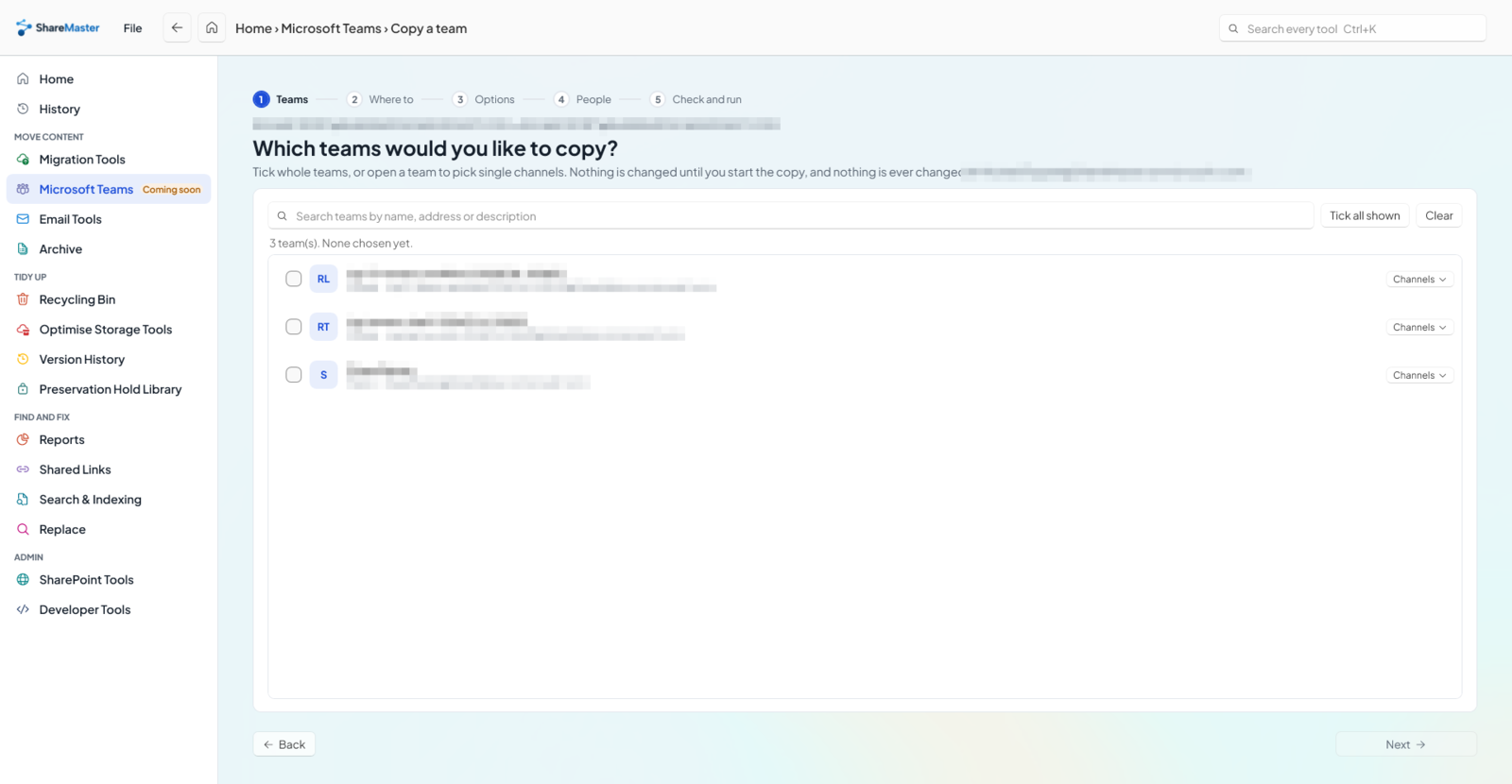
Copy a team in ShareMaster: choosing which teams to copy, with team names blurred

Can you copy a Microsoft Team to another tenant?

Not with Microsoft's own tools. Creating a team from an existing team copies its settings, channel list, apps, tabs and members, but only inside your own tenant and without the files or the conversations, and Microsoft's cross-tenant migration add-on leaves teams and channels in the source tenant. ShareMaster's Copy a team copies a team into another tenant, or inside the same one, with its standard, private and shared channels, owners and members, each channel's files with their version history, Planner plans and tabs, and optionally the channel posts with their original authors and times.

One team, all of it

The parts of a team that usually get left behind

Channel files

Every channel's files with version history, dates and the people behind them, mapped to the other tenant.

Conversations

Posts and replies under their original authors and times, with reactions, inline images and file links.

Private and shared channels

Copied with their own owners, members and files, not just the standard channels.

Planner and tabs

Plans with buckets, tasks, assignments and checklists; tabs re-pointed at the copied files and plans.

Why Microsoft's copy is not enough

Teams has a built-in copy: create a new team and choose to base it on one you already belong to. It reproduces the shape of the team, meaning its settings, channel list, apps, tabs and optionally its members, and that is all. Microsoft's own documentation for the same operation says the channels arrive without their messages, files are missing from the list of parts it can copy, and tabs arrive unconfigured. It also only offers teams in your own tenant.

For moves between tenants, Microsoft's paid migration service moves mailboxes, OneDrive and people's chats, but its overview states that teams, channels and SharePoint sites are not migrated and stay in the source tenant.

Teams: create from an existing team ShareMaster Copy a team
Into another tenantNoYes, or inside the same tenant
ChannelsStructureStandard, private and shared, with their people
Channel filesNoYes, with version history, dates and authors
Posts and repliesNoOptional, with original author and time
PlannerNoPlans, buckets, tasks, assignments, checklists
TabsUnconfiguredWebsite, Office, PDF and library tabs re-pointed; others named in the report
Owners and membersOptionalYes, mapped to the destination's accounts
Proof it matchesNoA compare of settings, people, files, posts, Planner and tabs

How a copy runs

  1. Pick the teams. Tick whole teams, or open one and tick only the channels you want. Nothing changes until the copy starts.
  2. Say where they go. Connect the destination tenant, or use the same one. Each team goes into a new team, or into a team already there, and you are told before the run if a team of that name exists.
  3. Choose what comes. Team settings, owners and members, Planner and tabs are on by default. Posts are off by default, because they are the slow part.
  4. Map the people. An exact sign-in name match is filled in for you. Pick anyone else from the destination's accounts, or leave them out; whoever is left out is named in the report.
  5. Check and run. The copy reads the source and writes only to the destination. If it stops, resume it from History.
  6. Read the report. An Excel workbook of what was created and skipped, and a compare of the copy against the source. Anything that was left out or could not be read shows as amber, never as a pass.
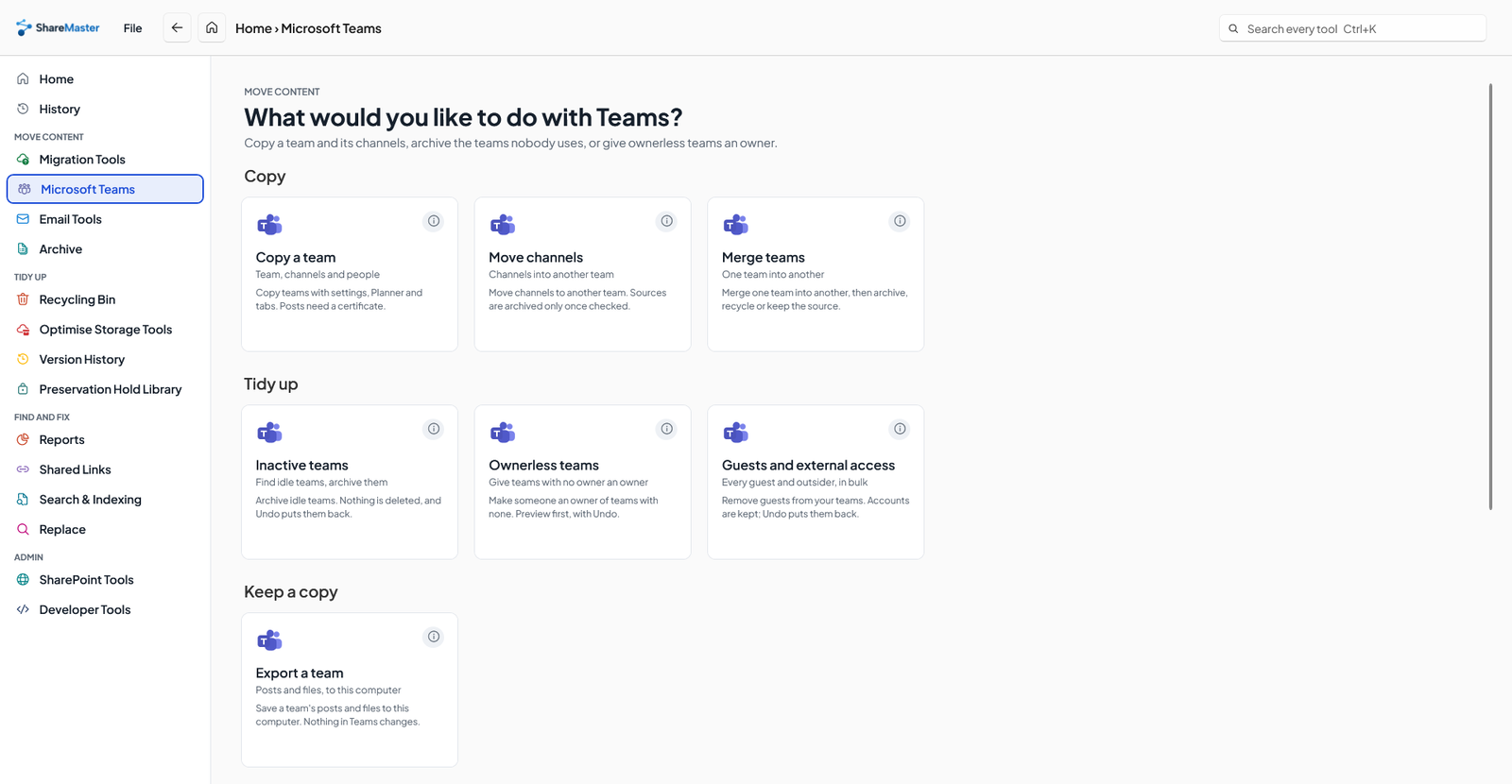
ShareMaster's Microsoft Teams tools: Copy a team, Move channels, Merge teams and the Teams admin tools
Copy a team sits with Move channels, Merge teams and the Teams admin tools.

What does not come across

  • Chats. One-to-one and group chats are not part of a team and are not copied.
  • Guests. Never invited at the destination. Each one is named in the report.
  • Who a shared channel is shared with. The channel and its content come; its links to other teams do not.
  • Post edits and history. A post arrives as it reads now. Read receipts and system messages are not copied, and videos and Loop components are named rather than copied.
  • Some tabs and apps. Forms, Stream, Power BI, OneNote, SharePoint page and list tabs, and apps' own tabs are named in the report for you to add again. Apps are not installed.
  • Planner extras. Task comments, who created or completed a task, and premium plans.
  • Very large files. A file over 2 GB comes with its current version only.

Moving the SharePoint side too

A team's files live in a SharePoint site, and Copy a team takes care of those. If the move is part of a bigger tenant migration, with communication sites, project sites and OneDrives as well, the SharePoint tenant to tenant migration page covers that side. Inside one tenant, Move channels moves channels from one team into another and Merge teams folds one team into another. The Copy a team documentation has every option in detail.

FAQ

Copying Microsoft Teams: questions

Are channel posts copied with the original author and time?
Yes, when you include posts. They are written through Microsoft's Teams migration mode, so each post and reply carries its original author and timestamp. Authors are matched to destination accounts by sign-in name, then email, then display name; a post by someone with no match goes in under the new team's owner, starting with Originally by and their name. Reactions from matched people, inline images and file links come too.
Why do posts need a certificate?
Microsoft only allows imported posts through an application permission that has no delegated, signed-in-user form. So to include posts, connect the destination with a certificate. Without posts, the destination can also be connected with app sign-in.
How long does a copy take?
Settings, channels, people, Planner and tabs are quick. Files depend on their size. Posts are the slow part: Microsoft accepts about one or two a second per channel, so a busy team with years of conversation can take hours. Posts are off by default for that reason.
Are private and shared channels copied?
Yes. Standard, private and shared channels are all copied with their owners, members and files. What is not carried over is the list of other teams a shared channel is shared with, which you set up again at the destination. You also choose whether people in a private channel who are not members of the team may be added to it; by default they are not.
What about guests and people who do not exist in the other tenant?
Guests are never invited at the destination, and each one is named in the report. A guest you map to an existing destination account is added as that account. Anyone else you leave unmapped is not added and is named in the report, so you can create their account and run the copy again.
Are chats copied?
No. One-to-one and group chats belong to the people in them, not to the team, and Copy a team does not copy them. Channel conversations are copied when you include posts.
Can I copy into a team that already exists?
Yes. Copying into an existing team adds the channels it is missing and changes or removes nothing that is already there. Before anything runs, you are told whether a team of that name already exists at the destination.
What if the copy stops partway?
Resume it from History. Running it again later also brings across what changed in the source since the last run.
Which plan includes it?
Copy a team, Move channels and Merge teams are in Clone Master, $900 USD for one year or $1,300 for two. The 14-day trial reaches them. On the trial the file copy may leave some channel files out, and lists each one, so use a trial run as a test.

Try a copy of one team first

Start a 14-day free trial, no credit card. Copy a small team into a test tenant and read the compare before you plan the rest.

Last updated