
A CAML query fails for reasons you cannot see from a text editor. The column is called Expiry Date on
screen and Expiry_x0020_Date underneath. The value type is wrong, so the filter quietly matches
nothing. Or the list grew past 5,000 items last month and SharePoint now refuses a filter it accepted in testing.
A builder earns its keep by removing those three guesses: it reads the list's real columns, writes the XML for you, and runs it so you see what SharePoint actually returns.
What is a CAML query?
CAML, short for Collaborative Application Markup Language, is an XML dialect for asking a SharePoint list or
library for a set of rows. A query names the conditions in <Where>, the sort in <OrderBy>,
the columns in <ViewFields> and the page size in <RowLimit>. List views,
CSOM, PnPjs and the REST GetItems endpoint all accept it.
Here is one that returns active contracts expiring in the next 30 days, soonest first, from every folder of a library:
<View Scope="RecursiveAll">
  <Query>
    <Where>
      <And>
        <Eq>
          <FieldRef Name="ContractStatus" />
          <Value Type="Choice">Active</Value>
        </Eq>
        <Leq>
          <FieldRef Name="Expiry_x0020_Date" />
          <Value Type="DateTime"><Today OffsetDays="30" /></Value>
        </Leq>
      </And>
    </Where>
    <OrderBy><FieldRef Name="Expiry_x0020_Date" Ascending="TRUE" /></OrderBy>
  </Query>
  <ViewFields>
    <FieldRef Name="FileLeafRef" /><FieldRef Name="Expiry_x0020_Date" />
  </ViewFields>
  <RowLimit>100</RowLimit>
</View>
Six things that make a CAML query return the wrong rows
None of these raise a helpful error. Most return an empty result, or the whole list, and leave you to work out why.
| What went wrong | What you see | The fix |
|---|---|---|
| The display name was used instead of the internal name | The query fails, or matches nothing | Use the internal name. A column renamed after it was created keeps its original internal name, and spaces become _x0020_. |
Three conditions inside one <And> |
SharePoint rejects the query | Each <And> and <Or> takes exactly two children. Nest a second one for the third condition. |
| A date compared without its time | Items from later the same day are included or left out | Without IncludeTimeValue="TRUE" on the <Value>, SharePoint ignores the time part. |
| A lookup or person column matched on its text | Breaks when the title or display name changes | Add LookupId="TRUE" to the <FieldRef> and compare the item or user ID. |
| Items sit inside folders | Only the top level comes back | Set Scope on <View>: Recursive for every file, RecursiveAll for files and folders. |
| The list passed 5,000 items | A query that worked yesterday is refused | Filter on an indexed column first. See the threshold section below. |
Build the CAML query from the list instead of from memory
ShareMaster's Query Builder, in the Developer Tools section of the app, works from the list you point it at. You sign in with your Microsoft 365 account, choose a site and a list, and every column offered in the builder comes from that list, with its real internal name and type.
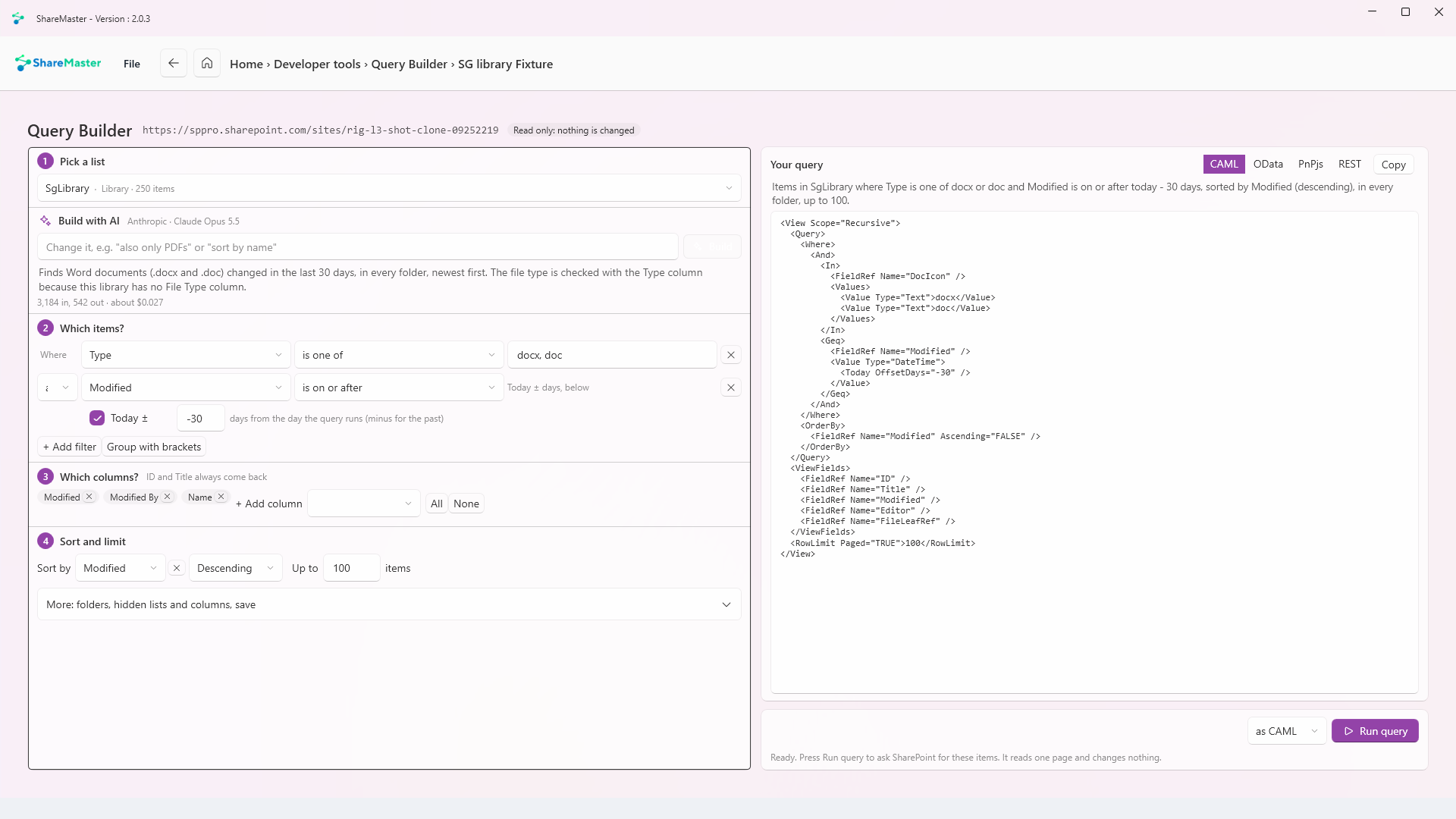
- Pick the site and the list. Lists above 5,000 items are marked in the picker before you build anything against them.
- Add a row per condition. Pick the column, an operator and a value. The operators are the CAML ones: equals, not equals, greater and less than (with or without equal), begins with, contains, is empty, is not empty, in and includes. Dates take a fixed date or Today plus or minus a number of days. Lookup and person columns match by ID.
- Join and bracket. Choose And or Or between rows and add brackets where the grouping matters. The builder does the two-children nesting for you.
- Say what comes back. Tick the columns to return, pick one sort column and direction, set the row limit (100 unless you change it, 5,000 at most) and choose the folder scope: top level only, every folder, every folder with the folders themselves, or top-level files only.
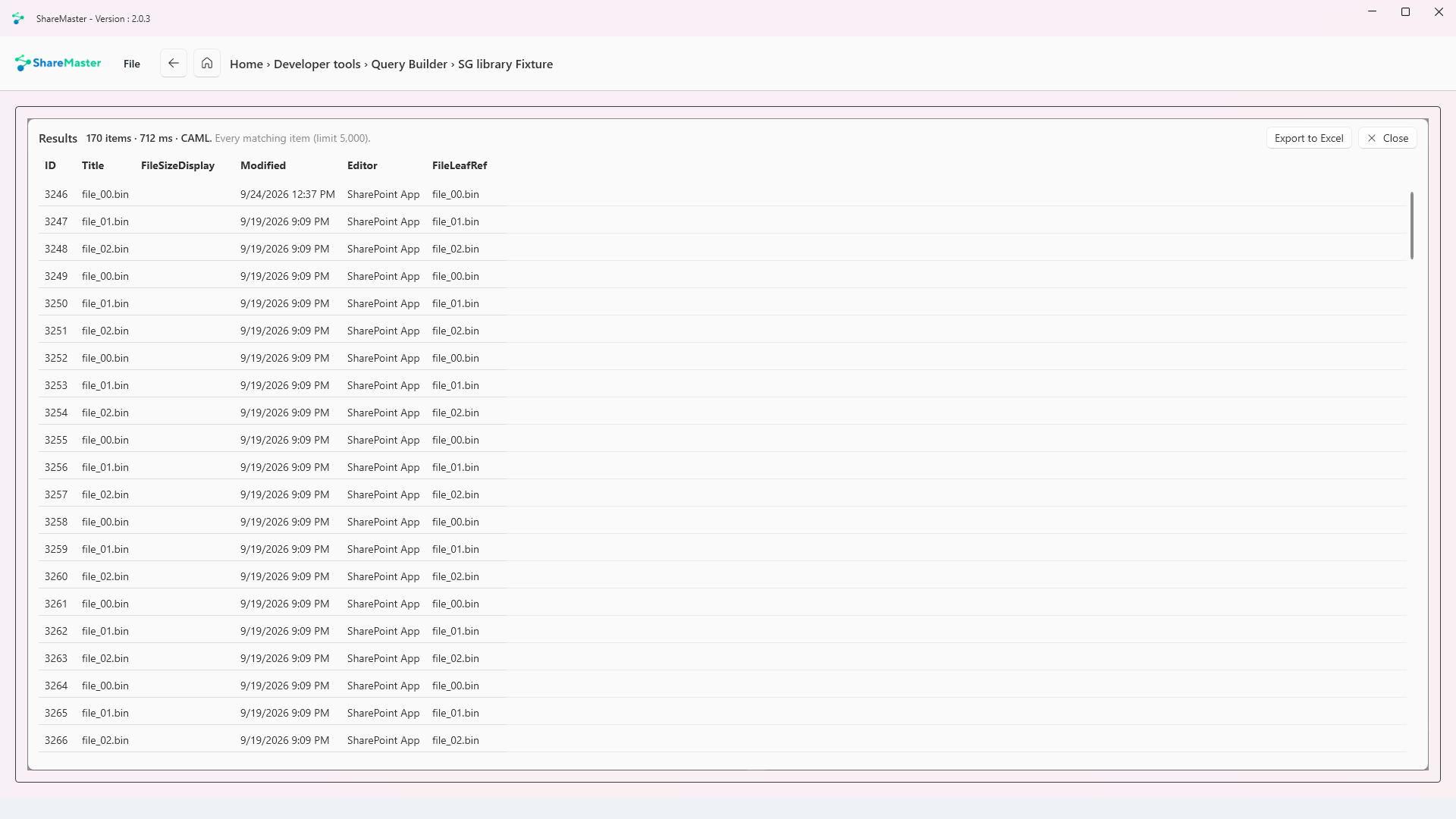
- Run it. Run it as CAML or as OData. You get the matching items, the count and how long SharePoint took. If the row limit was reached, it says more items may match.
- Take it with you. Copy the query as CAML, as an OData URL, as PnPjs (either form) or as a REST request. Or export the results to Excel, where a separate sheet records the site, the list, the query in plain English and both query forms. Queries you want again can be saved.
Prefer to start from a sentence? Build with AI turns "active contracts expiring in the next month, newest first" into builder rows you can check before running. It uses your own Anthropic, OpenAI or Azure OpenAI key, and it is sent the list's name, item count and column details, never the items. It will not guess a person's or a lookup's ID, and it asks before replacing rows you wrote yourself.
Why the same query works on a test list and fails in production
In SharePoint Online the list view threshold is 5,000 items and Microsoft does not let anyone raise it. Below that, almost any query runs. Above it, SharePoint will only run a filtered query cheaply when the filter can use a column index, and a query that would have to scan the whole list is refused.
Three facts from Microsoft's own pages decide what you can do about it:
- A list or library can have indexes on at most 20 columns, so choose the ones your queries filter on.
- Indexing a column on a list that is already over the threshold may itself be blocked, because building the index touches every item.
- When a view cannot use an index, SharePoint can fall back to showing only the 1,250 newest items, which is how a filter can come back empty when matching items exist.
Query Builder checks this before you run. On a list above 5,000 items whose first filter column is not indexed, it warns you, names the column and points you to the Indexing tab of List Explorer to index it. When SharePoint does refuse, it explains the refusal instead of showing an empty grid. The full set of limits is in the list view threshold reference, and deleting a library that is already too big has its own guide.
CAML or OData: which one should you send?
Both reach the same items. They differ in what they can express, and Query Builder writes both from one set of conditions so you can run each and compare.
| CAML | OData ($filter on /items) | |
|---|---|---|
| Multi-value lookup or person ("includes") | Yes, <Includes> | Not supported |
| Current user's groups (membership) | Yes, <Membership> | Not supported |
| String tests | Begins with, contains | startswith, substringof |
| Where it goes | Request body (or a view's XML) | The URL, which has a length limit |
The OData limits are Microsoft's, from its page on OData operations in SharePoint REST requests. When an OData URL grows long, Query Builder warns about the length before you hit it.
Frequently asked questions
Why does my CAML date filter miss items created today?
A DateTime value compares the date only unless the <Value> element carries
IncludeTimeValue="TRUE". Add it when the time of day matters, and leave it off when you mean whole days.
Can a CAML query return more than 5,000 items?
Not in one request. Page through with a RowLimit of 5,000 or less and ask for the next page each time.
What a query cannot do on a list over the threshold is filter or sort on a column without an index.
Can AI write a CAML query for me?
Build with AI in Query Builder writes the builder rows from your sentence, using your own AI key. Because it lands as rows rather than raw XML, you can read each condition and run it before you trust it.
Does Query Builder change anything in SharePoint?
No. It reads the list's columns and runs your query. Nothing is written.
Which plans include it?
Every plan, including the free Community plan. Query Builder is part of Developer Tools, and the rest of the section, from the PnPjs Console to webhooks, is described on the Developer Tools page.
Last updated