
Duplicate a SharePoint site with everything in it
A site template gives you the empty shell. A clone gives you the site: its lists and libraries, every item and file with its versions, the pages, the navigation and the permissions, in a new site or one you already have.
How do I duplicate a SharePoint site?
SharePoint Online has no duplicate button. Site templates, built from site scripts, recreate a site's lists, columns, content types, theme and settings, but Microsoft's schema has no way to copy files, list items or page content, and Save site as template is hidden on modern sites. To get a working copy with its content, use a clone: ShareMaster copies the whole site, or the lists and libraries you pick, into a new or existing site with every item, file, page, version and permission.
Every way to duplicate a site, and what each one copies
People duplicate a site for a handful of reasons: a new project that should look exactly like the last one, a safe copy to test changes on, a department splitting in two, or a site that needs a new address. The methods differ less in effort than in what actually arrives at the other end.
| Site template (site script) | PnP provisioning | ShareMaster clone | |
|---|---|---|---|
| Lists, libraries, columns, content types | Yes | Yes | Yes |
| Files and list items | No | Depends on the script you write | Yes |
| Version history, dates and authors | No | Depends on the script you write | Yes |
| Page content | No | Depends on the template and script | Yes, with web parts re-pointed |
| Navigation | Links you write into the script; not exported from a site | Depends on the template and script | Yes |
| Permissions | Users added to roles, written into the script | Depends on the script you write | Yes |
| Skills needed | PowerShell and JSON | PowerShell | None: a desktop app |
The site template column is drawn from Microsoft's site templates and site scripts overview and the Get-SPOSiteScriptFromWeb reference; the custom script limit is in allow or prevent custom script. PnP provisioning is open source and capable, with no Microsoft support agreement behind it; anything beyond structure is a script you write and maintain.
Duplicating a site with ShareMaster
- Sign in once. Inside one tenant, the same sign-in reads the source and writes the copy, and people stay the same accounts, so there is no user mapping to do.
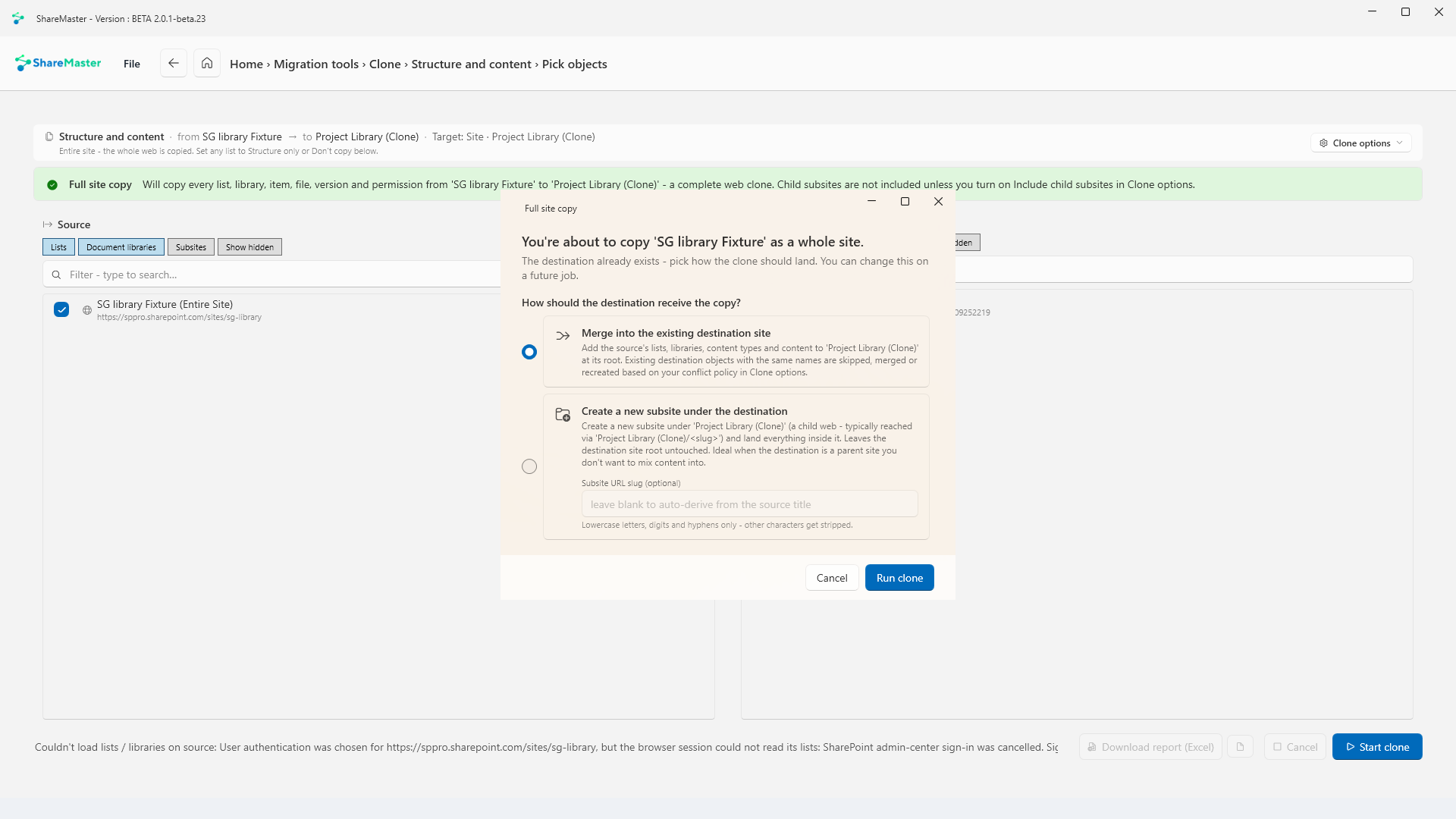
- Pick the source and the destination. Create a new site from the picker, with Match the source site already chosen so a team site becomes a team site and a communication site a communication site. Or pick a site that exists and merge into it, or land the copy as a new subsite under it.
- Choose the scope. The whole site, or only the lists and libraries you tick. Child subsites come too if you tick Include child subsites.
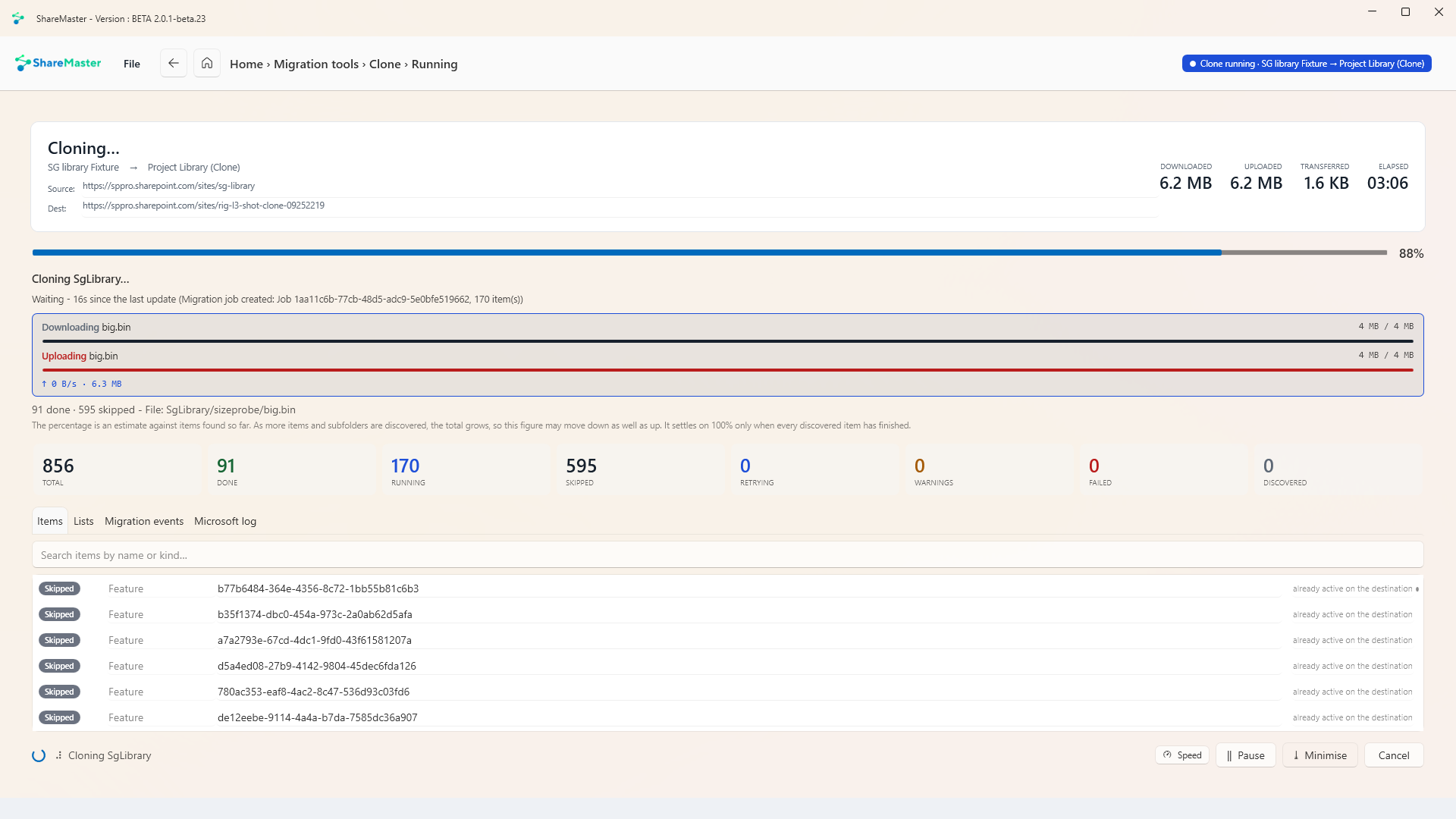
- Check, then copy. A check screen says what will happen before anything is written, including any source users who have since been deleted or disabled. Content then goes in through Microsoft's Migration API, with every skipped or retried item listed.
- Compare. A deep or shallow compare of the source and the copy, saved to Excel.
A copy that works, not just one that looks right
The difficult part of duplicating a site is everything inside it that still points at the original. The clone rewrites those references as it goes:
- Pages: web parts that show a list or link to the source site are pointed at the copy, images are copied, and the home page is set to match.
- Links in content: addresses of the source site inside hyperlink, text and rich-text columns are changed to the copy's.
- Lookups point at the copied lists, and managed metadata keeps its terms.
- Navigation: Quick Launch links within the site are rewritten. Links typed as a full https address are left as they are.
- Site settings: title, description, logo, navigation layout, header and footer, locale and time zone are copied. That includes the title, so rename the copy afterwards if it should differ.
- Calendars: recurring events keep their exceptions.
What a duplicate does not include
- The Microsoft 365 group or team behind a group-connected site. A new site created from one is a standalone team site. Copy a team handles the team.
- Workflows, Power Automate flows and Power Apps, which point at the original site and need rebuilding or repointing. The pre-migration analysis lists them.
- Custom script settings, site designs and site collection features.
- Web parts connected through dynamic data, which may need reconnecting.
- The site's language. The copy starts life as an English site; its regional settings, such as locale and time zone, are copied.
Copying a site into another tenant instead? See SharePoint tenant to tenant migration. Only need files from one library in another? Move / Copy is faster for that. Every option is in the clone documentation.
Duplicating a SharePoint site: questions
Can I duplicate a SharePoint site without any tool?
Why is Save site as template missing?
Does the copy keep version history, dates and authors?
Are pages and their web parts copied?
Can I copy a Microsoft 365 group or Teams site?
Can I use one site as a template for many new ones?
Can the duplicate go to another tenant?
Which plan includes it?
Duplicate one site this afternoon
Start a 14-day free trial, no credit card. Clone a site into a new one and run the compare before you trust it with the real thing.
Last updated